Other Blogs
Check out other Legal AI Posts


Draft lien reduction letters, mediation briefs, subpoenas, and more in minutes. DocGen uses AI to generate legal documents from your case files—review, edit, and download as PDF or DocX.
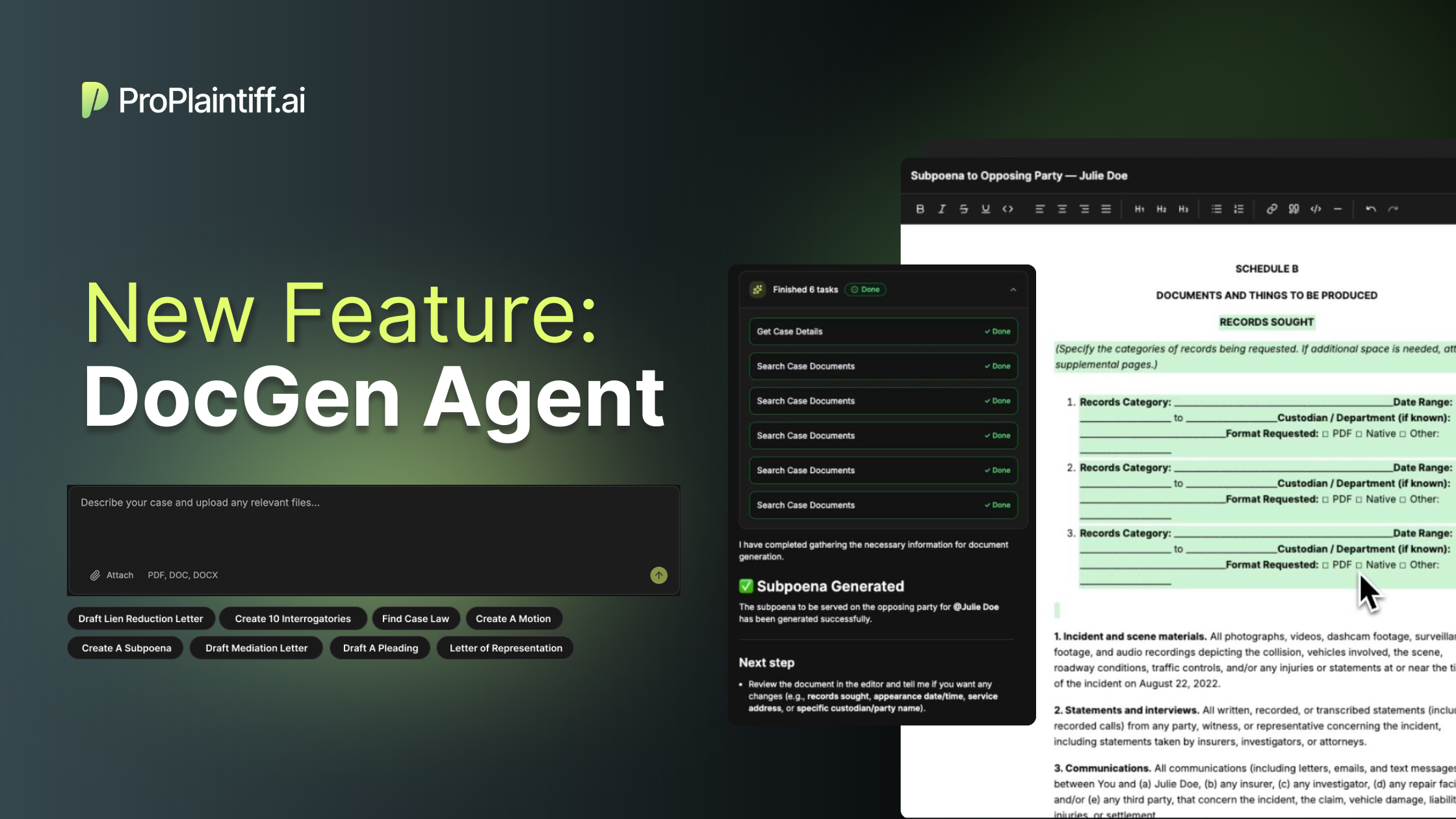
Personal injury law firms generate enormous amounts of paperwork. From lien reduction letters to mediation briefs to subpoenas, the document workload never stops and every minute spent drafting is a minute not spent on case strategy or client communication.
That's why we built DocGen.
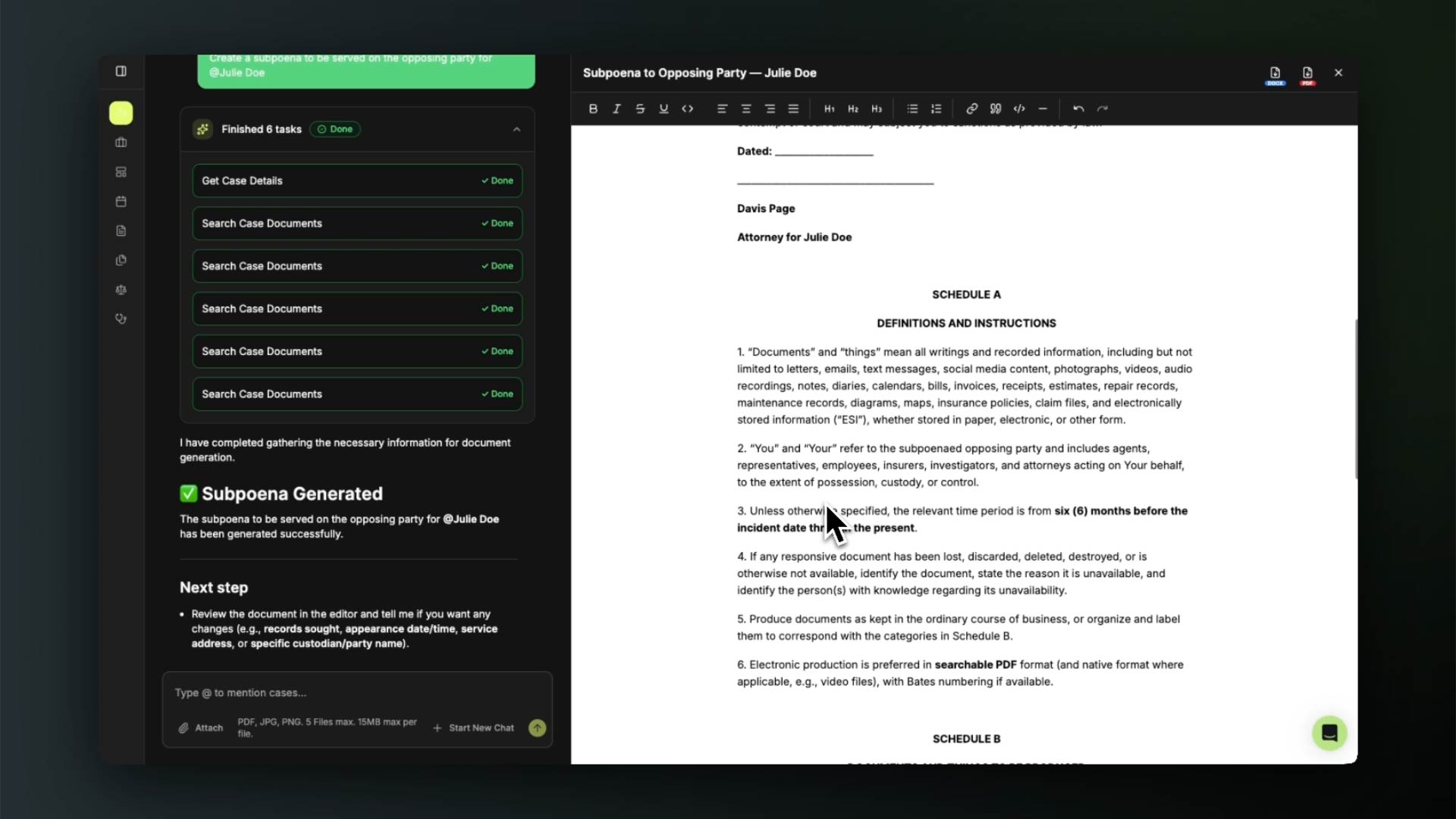
DocGen is ProPlaintiff's newest feature that puts the power of AI-driven document generation directly into your workflow. Using our AI Paralegal's agentic framework, DocGen doesn't just fill in templates—it thinks through your document requirements, references your case materials, and drafts comprehensive legal documents tailored to your specific needs.
The process is simple and conversational:
1. Reference your case documents. DocGen has access to the materials already in your ProPlaintiff case file. Need to draft a lien reduction letter? The AI Paralegal can pull relevant medical records, billing statements, and case details to inform the draft.
2. Attach additional materials. Upload documents from your computer or connect your favorite cloud service (Google Drive, Dropbox, or OneDrive) to give DocGen the full picture. The more context you provide, the more precise your documents become.
3. Chat your way to a finished draft. Tell the AI Paralegal what you need. Ask for revisions. Request a different tone or approach. The conversational interface means you're collaborating with the AI, not fighting with a rigid template system.
Review, edit, and export. Once you're satisfied with the draft, review it directly in the conversation, make any final tweaks, and download as a PDF or DocX file ready for your signature.
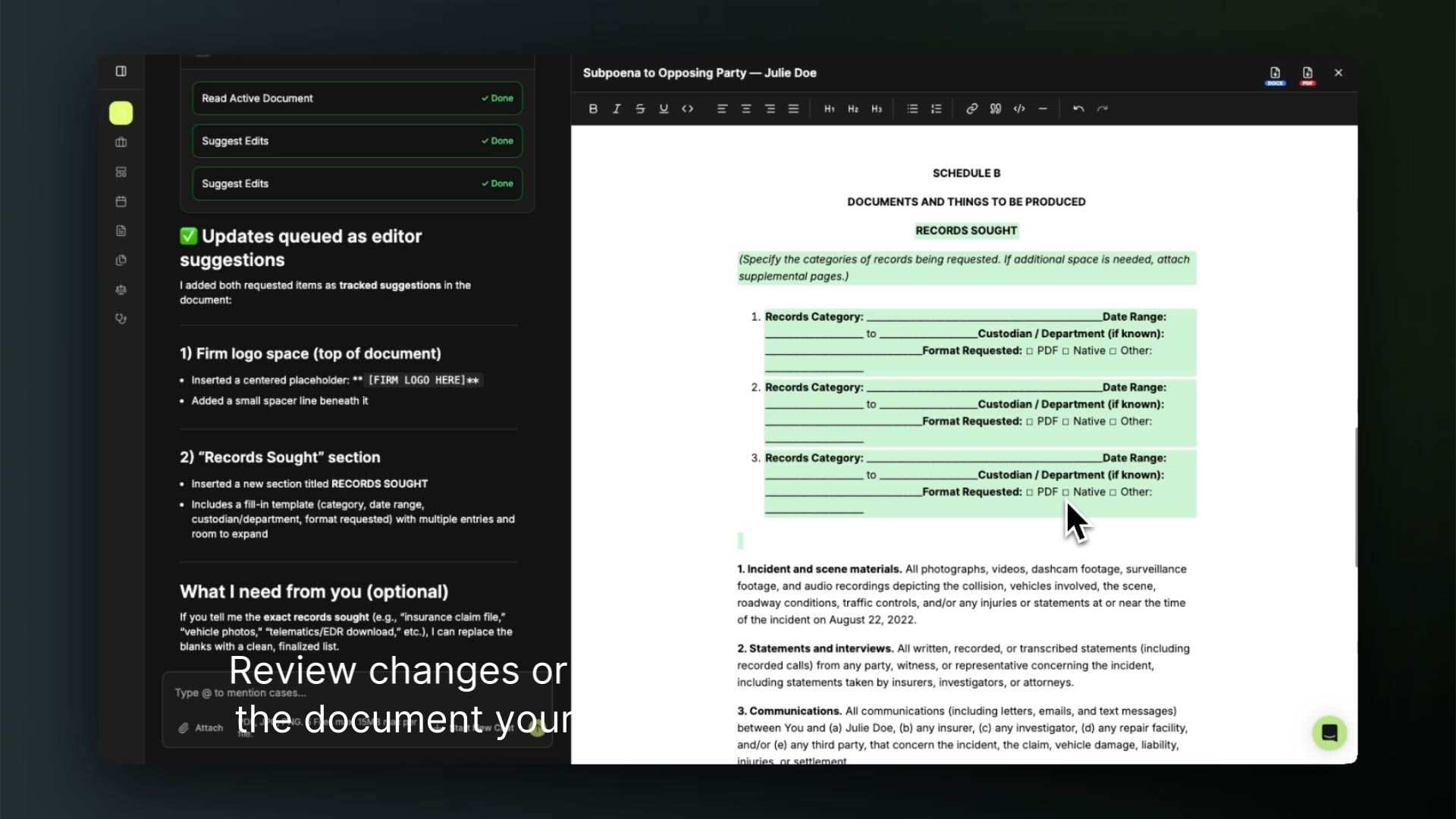
DocGen excels at the documents personal injury firms draft repeatedly:
Lien Reduction Letters – DocGen analyzes medical bills, settlement figures, and lien amounts to draft persuasive reduction requests that maximize your client's recovery.
Mediation Letters – Present your case compellingly with demand letters that synthesize case facts, liability arguments, and damages into a cohesive narrative.
Subpoenas – Generate properly formatted subpoenas with the correct party information, case details, and production requests.
Settlement Demands – Build comprehensive demand packages that tell your client's story backed by the evidence in your case file.
And more – Whatever legal document your practice requires, DocGen can help draft it.
Most document automation tools work from rigid templates with fill-in-the-blank fields. DocGen is different.
Our agentic AI framework means the system actively reasons through your request. It considers the purpose of the document, the audience who will receive it, the evidence supporting your position, and the outcome you're trying to achieve. The result is drafts that read as if they came from an experienced paralegal.
DocGen is available now in your ProPlaintiff dashboard. Open any case, select DocGen from the tools menu, and start a conversation with your AI Paralegal about the document you need.
No new software to learn. No complex setup. Just tell it what you need and let the AI handle the heavy lifting.
Ready to transform how your firm handles document drafting? Log in to ProPlaintiff and try DocGen today.
What types of documents can DocGen create?
DocGen can help draft virtually any legal document your personal injury practice needs. It's especially effective for lien reduction letters, mediation letters, settlement demands, subpoenas, and correspondence with insurance adjusters. If you can describe what you need, DocGen can help you draft it.
How does DocGen access my case information?
DocGen works directly with the documents already uploaded to your ProPlaintiff case file. You can also attach additional files from your computer or connect cloud storage services like Google Drive, Dropbox, or OneDrive to give the AI Paralegal more context for your draft.
Can I edit the document before downloading?
Absolutely. DocGen is designed for collaboration. Review the draft directly in your conversation with the AI Paralegal, request changes, ask for different phrasing, or make manual edits. Only download when you're fully satisfied with the result.
What file formats can I download?
DocGen exports documents as PDF or DocX files, giving you flexibility for both final signed versions and documents that need additional editing in Word.
Is my case data secure when using DocGen?
Yes. DocGen operates within ProPlaintiff's existing security infrastructure. Your case documents and generated drafts are protected by the same encryption and access controls that secure all your ProPlaintiff data.
Do I need any special training to use DocGen?
No. If you can have a conversation, you can use DocGen. Simply tell the AI Paralegal what document you need, provide any relevant context, and collaborate on the draft through natural conversation. There's no new interface to learn.
How is this different from document templates?
Traditional templates require you to manually fill in blanks and often produce generic-sounding documents. DocGen's agentic AI actually reasons through your request—considering your case specifics, the document's purpose, and persuasive strategy—to produce drafts that read like they were written by an experienced paralegal familiar with your case.
Can DocGen handle documents for case types other than personal injury?
DocGen is optimized for personal injury workflows, but its document drafting capabilities can assist with many general legal documents. If you're working outside typical PI matters, give it a try—the AI Paralegal adapts to your needs.
Check out other Legal AI Posts