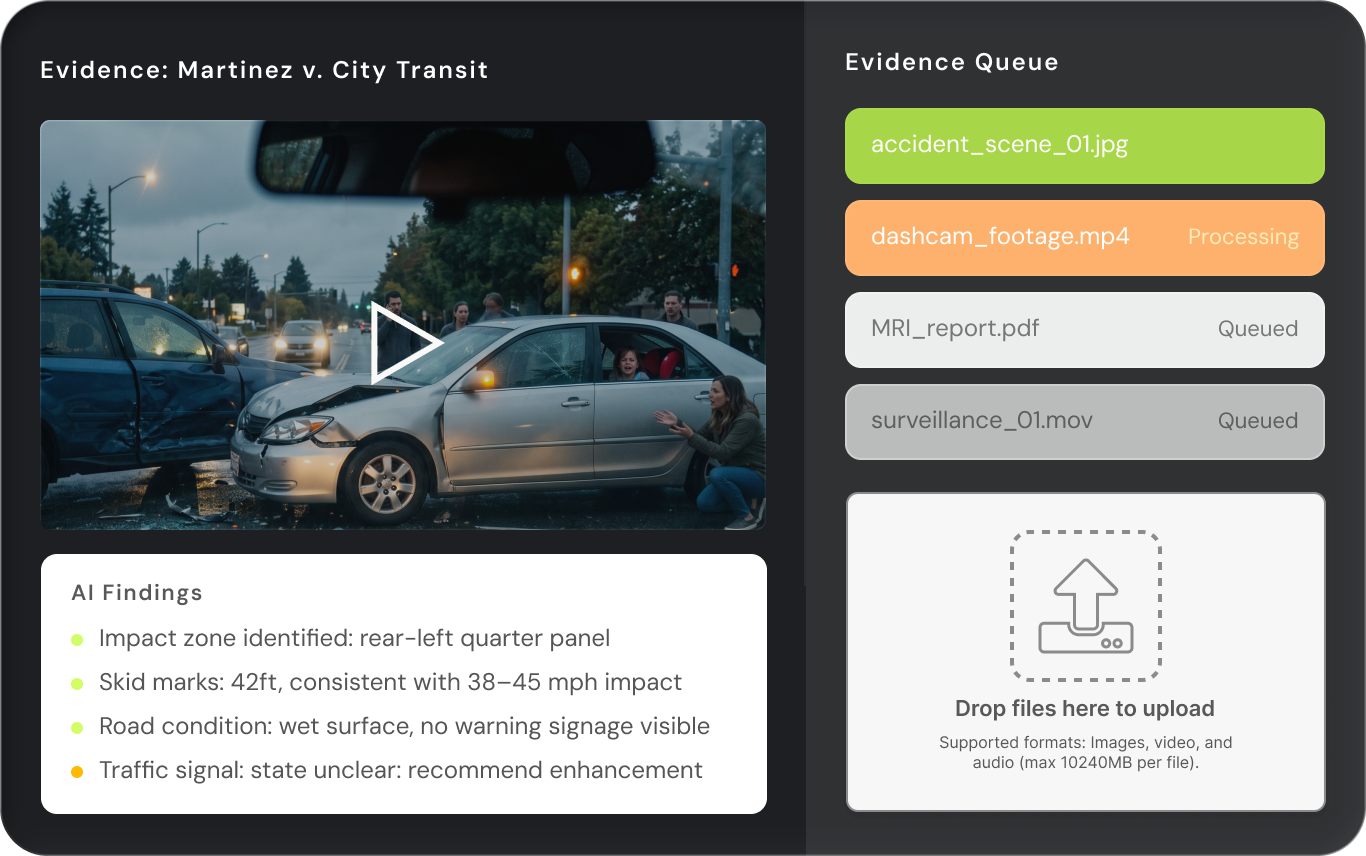
Turn Media Evidence into Case Intelligence

Transform bodycam footage, surveillance videos, depositions, and witness interviews into actionable insights.

ProPlaintiff media analysis interface showing automated video deposition processing with timestamped chapter extraction, AI-generated summaries, and integrated case documentation - saving personal injury paralegals 8 hours per week on video review and transcript analysis
Arrow

The Problem with Manual Media Review

Stop Scrubbing Through Hours of Footage Frame by Frame.

Interface showing audio and video icons with an arrow pointing to a dashed box labeled 'Select File to Upload' with instructions for drag and drop, copy and paste, and max file size of 10GB.
Video & Audio Support
Upload body cam footage, surveillance video, dash cam, depositions, 911 calls and other media files to quickly summarize media (up to 10GB)
ProPlaintiff automated audio transcription interface showing segmented deposition transcript with speaker identification and timestamps alongside raw transcript view - enabling personal injury paralegals to convert audio depositions into searchable case documentation
Auto-Transcription
Video and audio files are chaptered automatically for viewing. Time stamped transcripts with speaker identification help make transcription easy
ProPlaintiff video analysis interface with intelligent moment detection showing deposition key statements, timestamped evidence markers, and session metadata extraction for personal injury case analysis and trial strategy preparation
Key Event Detection
AI identifies critical moments: injuries, statements, contradictions into a neat summary to be used for demand letters and other legal documents.

"This tool cuts down hours of tedious document review and demand-letter prep — what used to take me (or my team) all day now happens in a fraction of the time."

Smiling woman with curly hair wearing a navy blazer and light blue shirt against a plain background.
Delane Farrow
PI Paralegal

From Raw Footage to Case-Ready Insights

Icon depicting multimedia with an image, audio speaker, and video filmstrip.
Multi-Format Media Upload
Support for video (MP4, MOV, AVI) and audio (MP3, WAV, M4A) files up to 2GB.
Green icon of a person with a sound wave and a volume slider.
Automated Transcription with Time-Stamps
Speaker identification distinguishes between parties in multi-person recordings.
Green icon combining a play button, pause bars, and magnifying glass symbol.
Key Moment Identification
Ask the AI to identify specific events, surface relevant time-stamps and provides context.
Green document icon with a black information symbol in a circle overlapping the bottom right corner.
Summary Reports & Clip Extraction
Reduce a 3-hour bodycam recording to a 2-page summary with referenced time-stamps.

How It Works

1
Upload Your Media Files
Drag and drop files directly into your case workspace.
2
AI Transcription & Processing
AI automatically transcribes audio, identifies speakers, and time-stamps every statement.
3
Query and Extracts Insights
The AI surfaces relevant moments with exact time-stamps and contextual quotes.
4
Generate Reports and Share Findings
All outputs include source references for verification and presentation.
Personal injury law firm team collaborating on case management using ProPlaintiff's secure platform - showing bulk document upload, integrated task tracking, and real-time case coordination for paralegal and attorney workflows

Uncover Missing Evidence in Hours of Footage

From bodycam recordings to witness interviews, ProPlaintiff's AI Media Analysis ensures you never overlook a key moment.

Book A Demo
Black Arrow
Book A Demo

Frequently Asked Questions

From 200 pages of records to a clear timeline in minutes

What is media analysis in the context of personal injury law?

Media analysis refers to the AI-powered examination of multimedia evidence including photos, videos, audio recordings, and visual documentation related to personal injury cases. This includes accident scene photos, surveillance footage, medical imaging, property damage documentation, witness video statements, and other visual or audio evidence that may impact case strategy and settlement value.

How does ProPlaintiff's AI analyze multimedia files?

ProPlaintiff's AI Paralegal, trained on 6.7 million case law files, processes uploaded media files to extract relevant details, identify key evidence, and provide structured analysis. The system can analyze visual elements in photos and videos, transcribe audio content, identify inconsistencies across multiple media sources, and generate summaries that contextualize multimedia evidence within the broader case narrative.

What types of media files can ProPlaintiff analyze?

ProPlaintiff's media analysis capabilities support common file formats used in personal injury litigation, including image files (JPEG, PNG), video files (MP4, MOV), and audio recordings. The platform is designed to handle evidence commonly encountered in PI cases—accident scene photos, dashcam footage, medical imaging, property damage documentation, witness statements, and surveillance video.

Is multimedia evidence secure when uploaded to ProPlaintiff?

ProPlaintiff maintains SOC 2 and HIPAA compliance with enterprise-grade encryption protocols. All uploaded media files—including potentially sensitive accident footage, medical imaging, or client photos—are processed and stored in a secure environment that meets the confidentiality requirements of legal practice, unlike general AI platforms that lack appropriate security safeguards.

Can the AI identify specific details in accident scene photos?

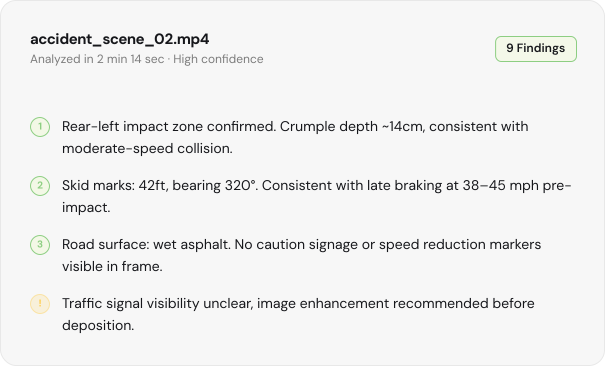
Yes. ProPlaintiff's media analysis can examine accident scene photos to identify relevant details such as vehicle positioning, property damage severity, road conditions, weather indicators, traffic control devices, skid marks, and other visual elements that may support liability arguments or damage calculations in personal injury cases.