.webp)
.webp)
.webp)
.webp)

.png)
Every tool we build starts with the same question: What's slowing PI attorneys down? The answer, consistently, is fragmented workflows. Intake in one place, financials in another, task lists scattered across emails, and no single view of a case's status. The old dashboard worked. But working isn't the same as winning.
The new ProPlaintiff case management dashboard has been reimagined to better suit your workflows. New sections and a restructured layout, designed around how personal injury attorneys actually run cases, from the moment a client walks in to the moment a check clears. Here's a full breakdown of what changed and why it matters.

The first thing you'll notice is a cleaner intake process. When you open a new case, you start with the basics: name the case, then upload the intake form directly. No more bouncing between screens. The intake form is attached at the point of case creation, so your team starts with everything they need.
This sounds simple. In practice, it eliminates a common source of dropped information and mis-filed intakes that slow down case velocity from day one.
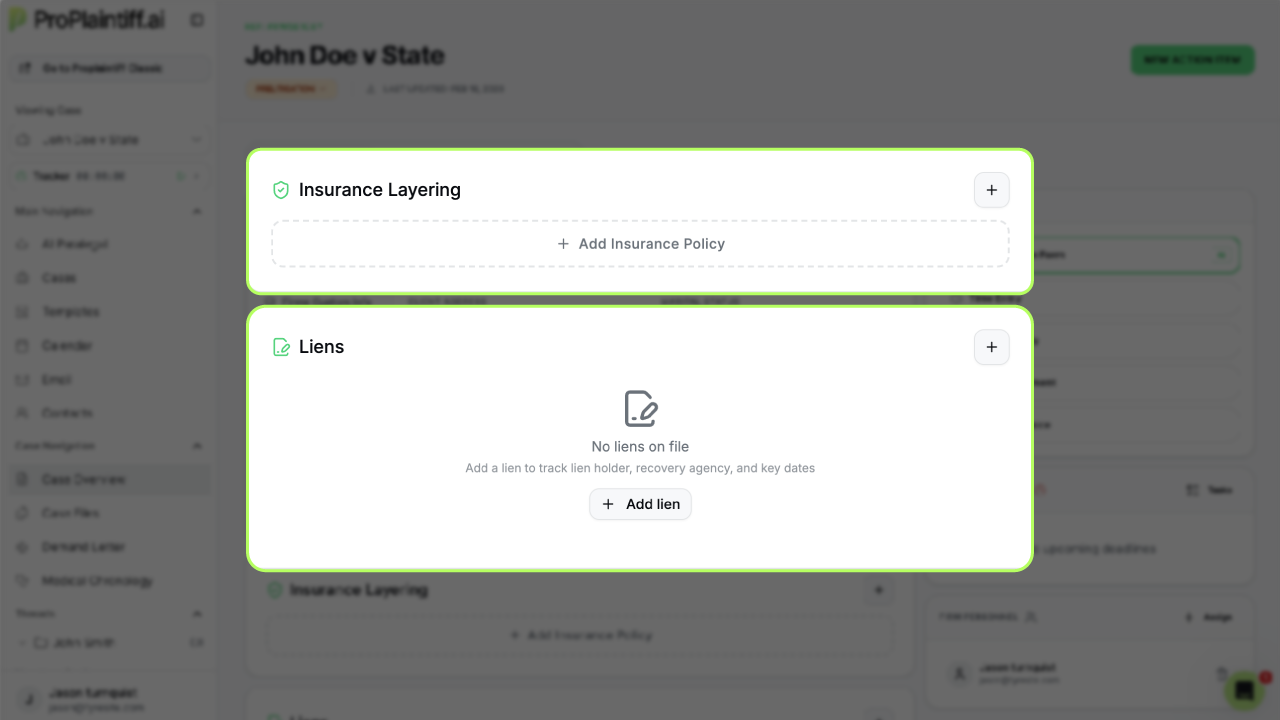
Two entirely new sections have been added to the dashboard: Insurance Layering and Liens.
Insurance layering is one of the most complex and consequential parts of any PI case. You're mapping coverage across multiple carriers, policy limits, umbrella policies, and underinsured motorist coverage. Having a dedicated section means all of that data lives in one place, visible and organized, rather than buried in notes or separate documents.
The new Liens section gives you a structured place to log, manage, and monitor every lien tied to a case. Nothing falls through the cracks. Nothing gets discovered at the eleventh hour.
Together, these two additions address two of the highest-stakes areas in personal injury practice.
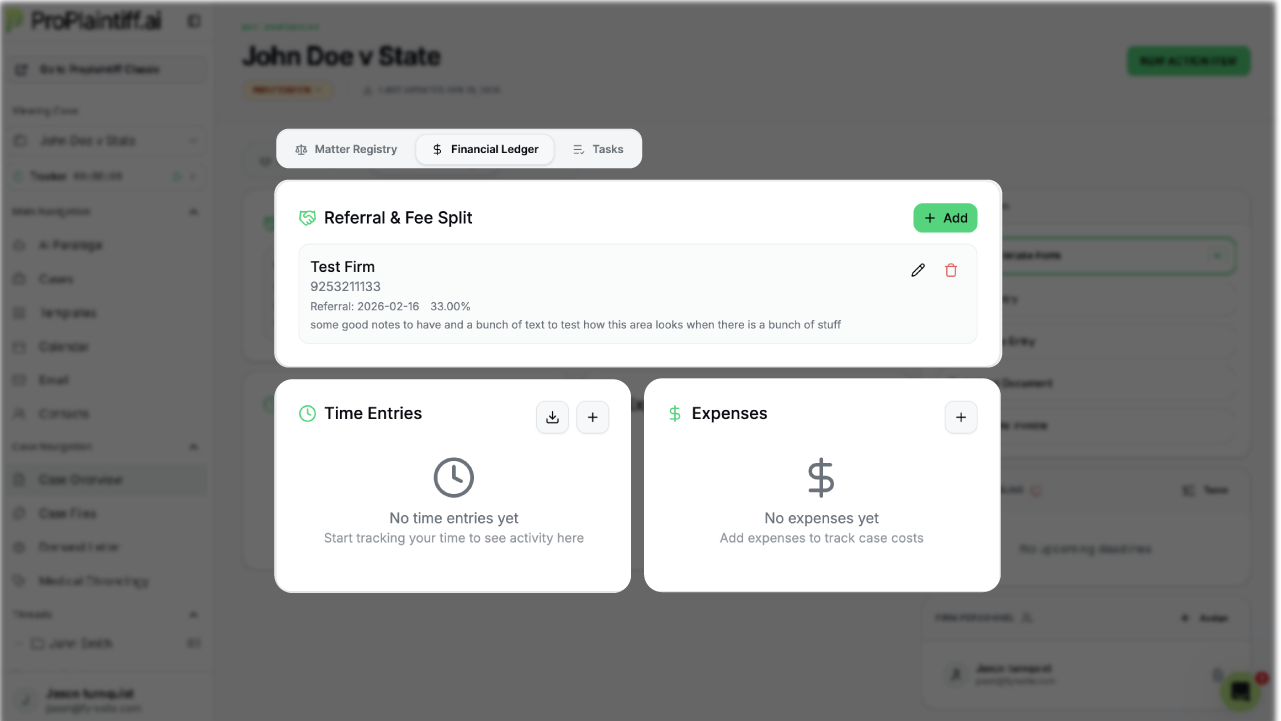
The Financial Ledger is the command center for the financial side of every case. It brings together three critical functions that used to require separate tracking:
Time tracking — log hours against a case, keep running totals, and maintain a clear record of billable work without relying on memory or external spreadsheets.
Referral management — track referral relationships and associated fees directly within the case. If a case came in through a referral partner, the financial terms and tracking are built into the ledger.
Invoice generation — when the work is done, generate an invoice directly from the case. No exporting data, no reformatting, no manual entry into a billing system. The information is already in the platform; the invoice is a click away.
This is the kind of integration that transforms case management from a filing system into a profit center.
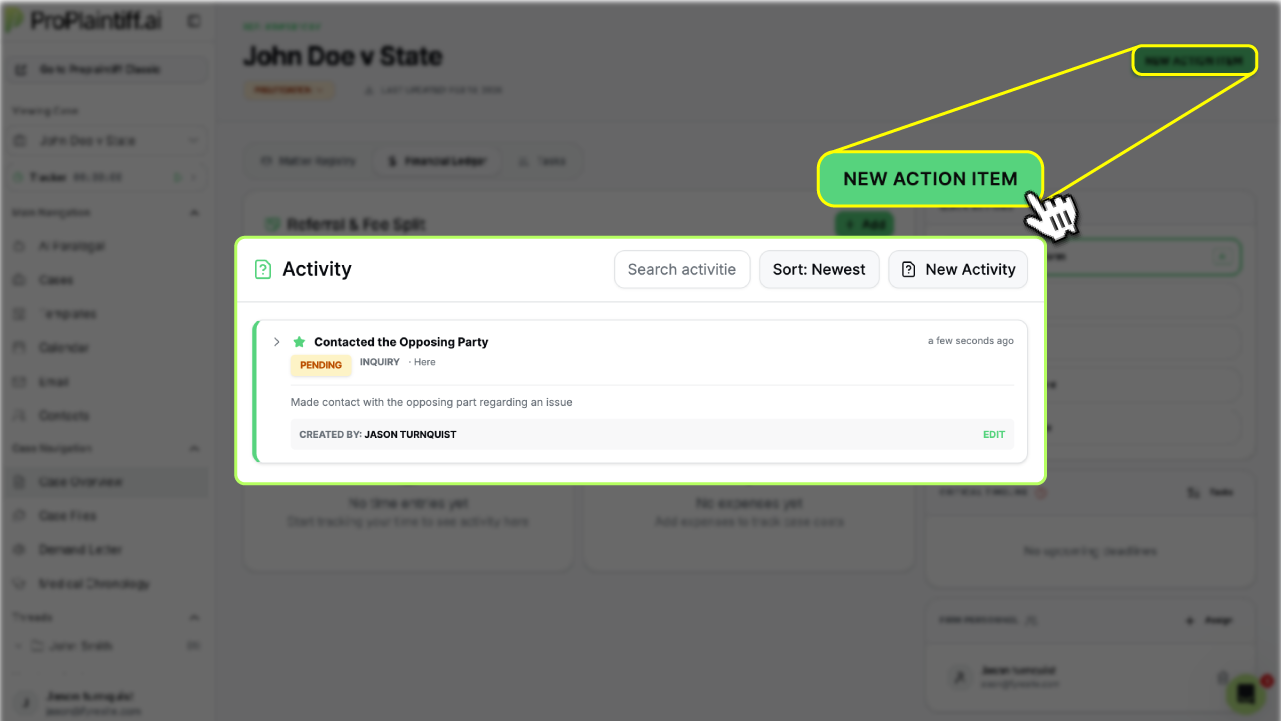
The new Activities section is built for teams and for what's coming next.
Every action taken on a case can be logged as an activity. Phone calls, document reviews, client communications, and court filings can be seen as a live record of what's happened and what's pending. No more "who talked to the adjuster last?" No more duplicate outreach because someone didn't know the file had already been updated.
Beyond team coordination, Activities is also designed to serve as the foundation for ProPlaintiff's upcoming AI Agent capabilities. When autonomous AI agents begin handling case tasks, the activity log becomes the operational record that keeps both your team and the AI working from the same playbook.
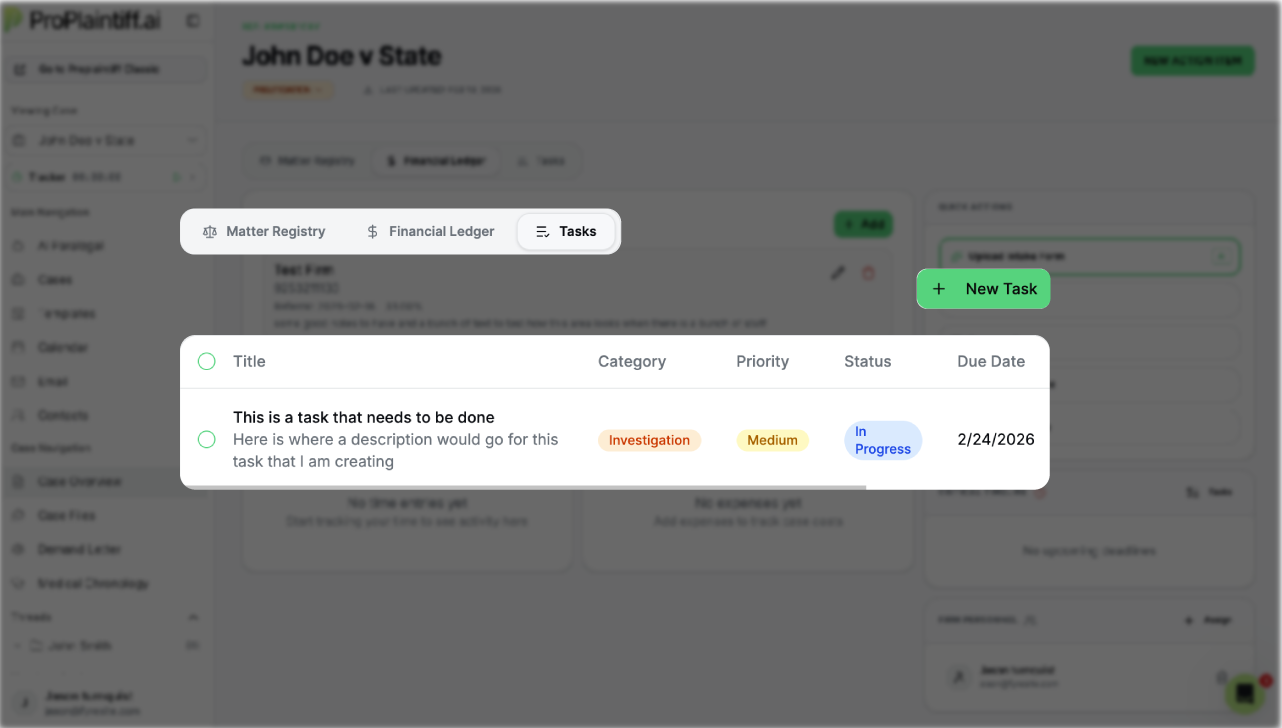
Tasks are simple and powerful: a structured to-do list tied directly to each case. Assign items, set priorities, track completion. Everything you need to do on a case lives in the case, not in a shared email thread.
Combine Tasks with Activities, and you have a complete operational picture: here's what's been done, here's what's left.
The case status indicator has moved to the top of the dashboard. You can change a case's status (active, pending, settled, closed) from the top of the view without navigating away or opening a settings panel.
This is a small change with a real impact. Status visibility drives prioritization. When attorneys and staff can see and update case status at a glance, the right cases get attention at the right time.
Everything above lives inside a fundamentally restructured layout. The new design prioritizes the information you reach for most, reduces the clicks between key sections, and presents complex case data in a way that's readable at speed.
The goal was a dashboard that feels like a well-run firm. Organized, calm, and completely in control, even when the caseload isn't.
The new ProPlaintiff dashboard isn't a refresh; it's a rebuild around how PI attorneys actually work. Every section added, every workflow restructured, every shortcut built into the layout reflects feedback from attorneys who needed their tools to move as fast as they do.
Personal injury attorneys shouldn't be buried in paperwork. They should be winning cases.
Ready to see it in action? Book a demo →



.svg)