DocGen AI Legal Document Generator

DocGen AI creates subpoenas, motions, settlement demands, and every document your case needs.

Document Generation Software for personal injury attorneys
Arrow

Every Document Type, One AI Agent

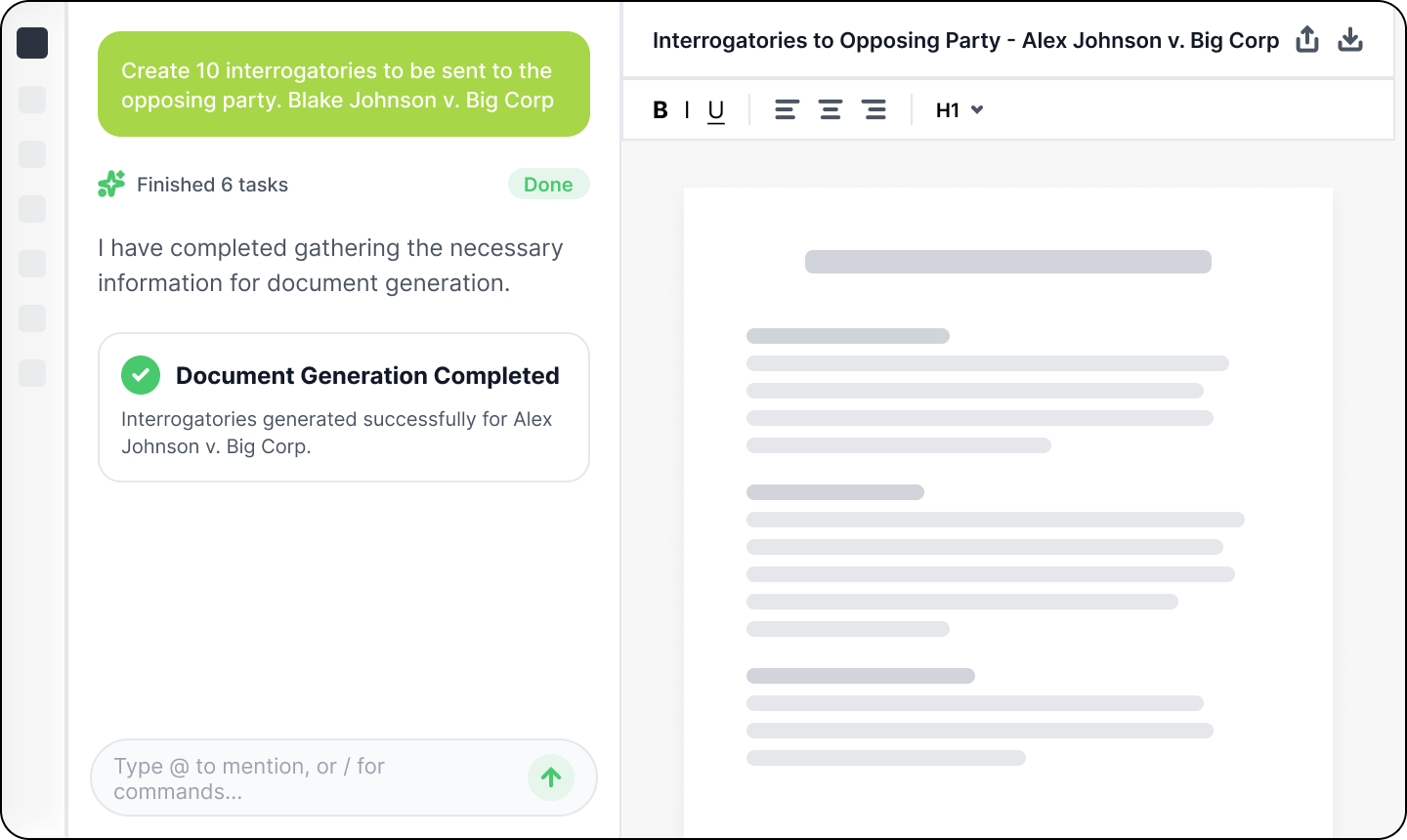
From subpoenas to settlement demands, simply describe what you need in plain language, and DocGen generates court-ready documents in seconds.

ProPlaintiff agentic AI platform architecture diagram showing integrated legal AI framework connecting AI Paralegal, medical document analysis, audio/video media processing, and litigation intelligence for comprehensive personal injury case management
Vibe Drafting
Just describe what you need: no forms, no fields, draft instantly
ProPlaintiff AI Paralegal case law search interface showing relevant jurisdiction-specific precedents for personal injury litigation - sourced from 6.7 million case law database with cite-verified results for demand letter strategy and legal argument development
Auto-Saved to Cases
Every document saved in the case file. Export as PDF or DocX anytime
ProPlaintiff usage analytics dashboard showing AI paralegal efficiency metrics - token consumption tracking (1,252 tokens), time savings quantification (104 hours saved), and task completion progress for personal injury paralegals measuring ROI and workflow automation impact
Every Document You Need
Draft subpoenas, motions, contracts, settlement demands, and more

"DocGen cut our document drafting time by 80%. We're creating motions and settlement demands in minutes instead of hours. It's transformed how we handle paperwork."

Smiling older woman with shoulder-length blonde hair, wearing round glasses and a dark blazer, in an indoor setting with shelves in the background.
Sarah Mitchell
Managing Partner

Court-Ready Documents for Every Case Stage

Stylized folder icon with a dollar sign and lines representing financial information, accompanied by a pencil symbolizing editing.
Mediation Letters
Generate persuasive mediation statements that present your settlement position.
Gray square icon with rounded corners featuring a glowing green brain outline and a small gray gear in the top right corner.
Subpoena Records
Draft subpoenas for medical records, employment files, witness testimony, and more.
Checklist with two checked boxes and a green overlay showing a rising bar chart with an upward arrow.
Motions to Compel
DocGen structures arguments, cites relevant law, and formats to court standards.
Stack of light gray document icons with a glowing green chat bubble containing three dots on the front folder icon.
Discovery Requests
Generate comprehensive interrogatories, requests for production, and for admission.

How It Works

1
Describe What You Need
Tell DocGen what document you need. "Motion to compel discovery" or "Settlement demand for slip and fall case."
2
DocGen Drafts Instantly
The AI pulls relevant case facts, medical records, and evidence to generate a complete, court-ready document in seconds.
3
Review & Edit
Make any adjustments you need. DocGen gives you full control. Vibe draft and refined to perfection.
4
Save or Export
Automatically save to your case file, export as PDF for filing, or download as DocX for further editing. Done.
Personal injury paralegals collaborating using ProPlaintiff all-in-one case management platform with AI-powered demand letter generation - 5 minute drafts, automated workflows, and secure team workspace

Replace Hours of Drafting with Seconds of AI Vibe Drafting

Stop wasting billable hours on document templates and formatting. DocGen handles the heavy lifting, so you can focus on strategy, clients, and winning cases.

Frequently Asked Questions

What you need to know about the AI legal document generator.

What types of legal documents can DocGen create?

DocGen generates all common legal documents, including subpoenas, motions to appeal, motions to compel, settlement demands, demand letters, lien reduction letters, interrogatories, contracts, discovery requests, legal memoranda, and more. If you can describe it, DocGen can draft it.

How does DocGen know my case details?

DocGen is fully integrated with ProPlaintiff's AI paralegal and automatically accesses your case files, client information, medical records, evidence, and relevant case facts. Every document is tailored to your specific case.

Can I edit documents after DocGen creates them?

Absolutely. Every document is fully editable within ProPlaintiff. You can also export to DocX format to edit in Microsoft Word, then save back to your case file.

Is DocGen accurate and court-ready?

Yes. DocGen is trained on legal standards and uses your case-specific facts to ensure accuracy. Every document is generated for your review—you maintain full control before filing. Think of it as your first draft, professionally written.

Where are my documents saved?

All DocGen documents are automatically saved to the correct case file in ProPlaintiff with full version history. You can also export as PDF for court filing or DocX for offline editing.