AI Email

Your Case & Inbox, In the Same Dashboard.

Connect Outlook and manage all client and case communications without leaving ProPlaintiff.

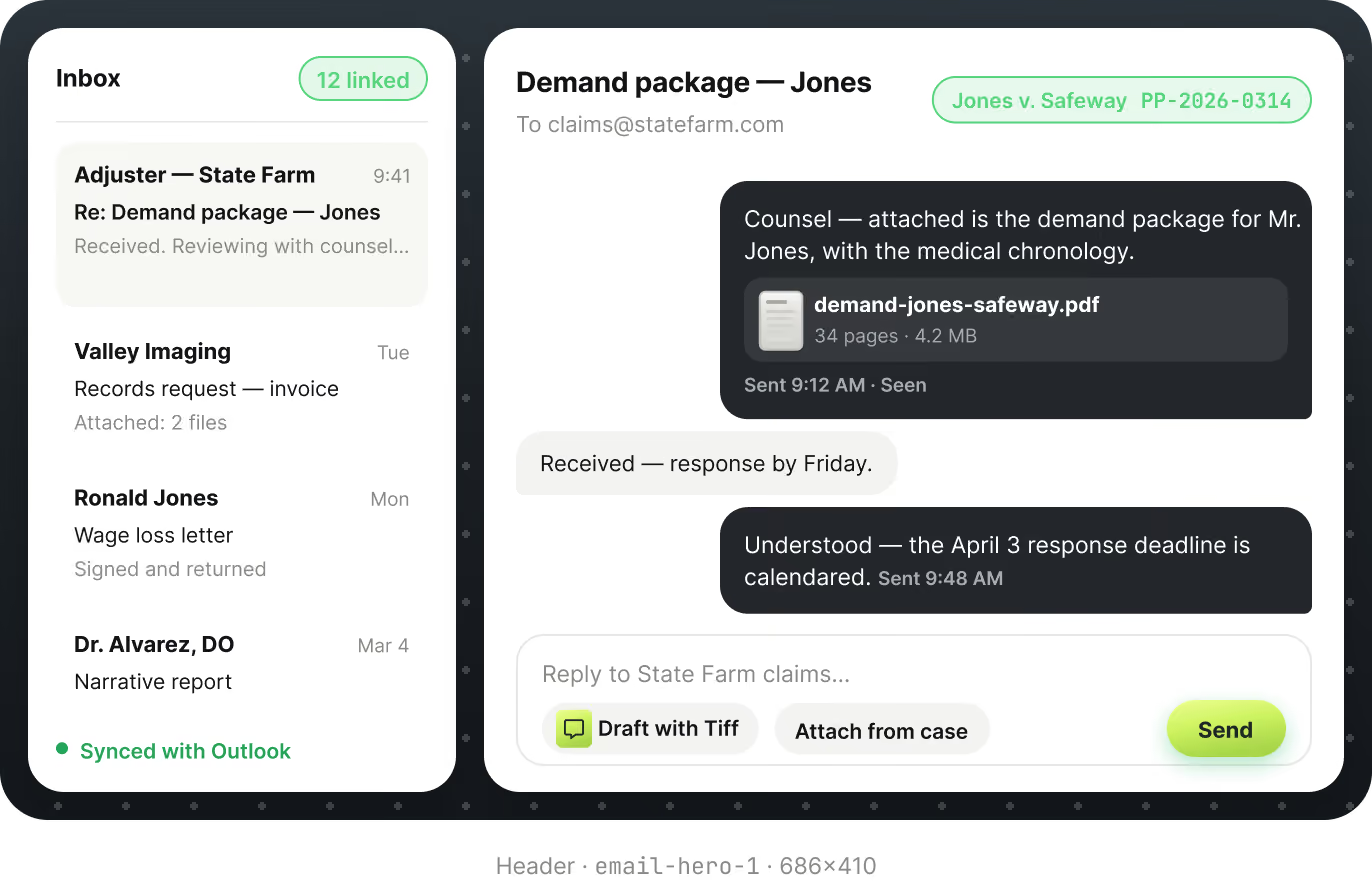
PLACEHOLDER - replace with Figma node 10:478 hdr (686x410 email client mockup, per its own caption "Header - email-hero-1 - 686x410")
Arrow

Case-connected email that keeps your team aligned

No more context switching. Every line of communication where your case work lives.


PLACEHOLDER - replace with Email card illustration 1 (not yet drawn in Figma)
Case-Linked Inbox
Search for full communication history, linked automatically or manually to the right case.
PLACEHOLDER - replace with Email card illustration 2 (not yet drawn in Figma)
Full Outlook Functionality
Compose, reply, forward, and manage drafts just like you would in Outlook, all from one dashboard.
PLACEHOLDER - replace with Email card illustration 3 (not yet drawn in Figma)
AI-Ready Communications
Draft professional and consistent case communication documents using the communication tool.

"We can create case files significantly faster using ProPlaintiff.ai. My paralegals love how much quicker they can do monotonous tasks."

Marc Shapiro, Law Offices of Marc Shapiro, ProPlaintiff client testimonial headshot
Marc Shapiro
Law Offices of Marc Shapiro

Email Intelligence

Email Intelligence

Every client communication, connected to every case.

Green icon of a document with a heartbeat line and magnifying glass symbolizing document review or analysis.
Connect with a single Microsoft sign-on. Email data is encrypted in transit and at rest.
Green icon of a document with a heartbeat line and magnifying glass symbolizing document review or analysis.
Search for full communication history linked automatically or manually to the right case.
Green icon of a document with a heartbeat line and magnifying glass symbolizing document review or analysis.
Draft professional case communication documents directly from the email tool.

HIPAA compliant · disconnect any time, no data retained
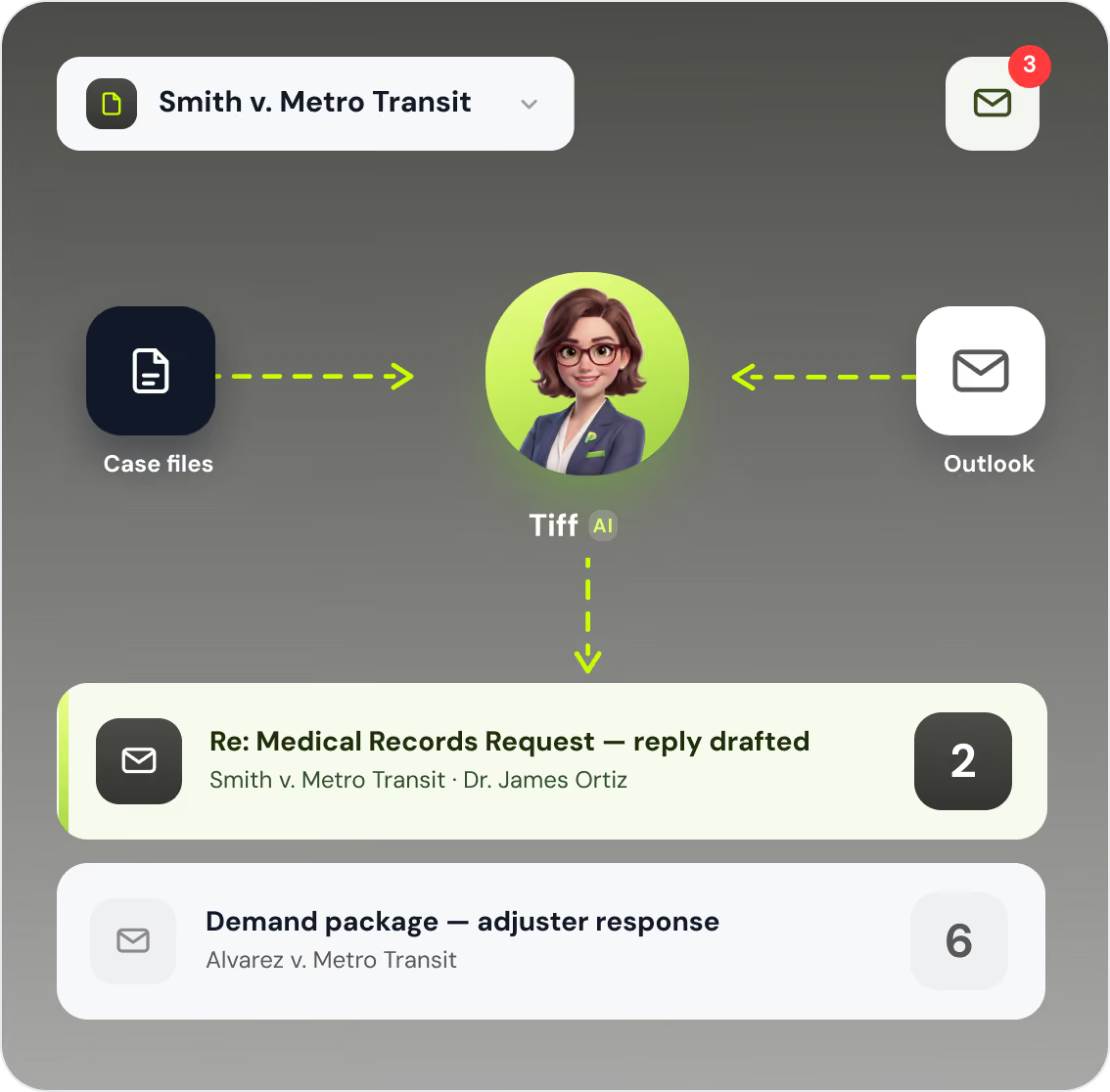
PLACEHOLDER - replace with Figma node 10:692 (Smith v. Metro Transit case pill, Case files > Tiff > Outlook flow diagram, 2 email rows)

How It Works

Email Setup in 3 Simple Steps

1
Connect Outlook
Sign in with your Microsoft account and your inbox syncs securely and encrypts instantly.
2
Manage Your Inbox
Access inbox, sent, drafts, and all standard folders within ProPlaintiff. Save emails to existing cases.
3
Search by Case
Use the case dropdown to filter emails by matter. ProPlaintiff surfaces emails for any case you select.

Email FAQs

Everything you need to know about connecting Outlook to ProPlaintiff.

Does ProPlaintiff.ai have a built-in email feature?

Yes! ProPlaintiff.ai includes a fully integrated email tool that allows you to send, receive, and manage emails directly within the platform.

Which email providers does ProPlaintiff.ai support?

Currently, ProPlaintiff.ai supports Microsoft Outlook. Connecting your account is simple: navigate to the Email section from the main menu, click "Connect Outlook," sign in with your Microsoft credentials, and grant the necessary permissions. Once connected, your inbox syncs securely with ProPlaintiff.ai.

How does ProPlaintiff.ai keep my email data secure?

Your email data is securely synced and encrypted within ProPlaintiff.ai. You remain in full control of your account and can disconnect your Outlook integration at any time. The platform is designed to give you the convenience of centralized communication without compromising the security standards expected in legal practice.

Can I find emails related to a specific case without searching through my entire inbox?

Yes, ProPlaintiff.ai makes it easy to surface case-specific communications. Using the "Search by Case" feature, you can select a matter from the dropdown and ProPlaintiff.ai will intelligently identify and display emails it believes are relevant to that case.

Does ProPlaintiff replace attorney review?

No. ProPlaintiff is designed to assist legal professionals with drafting, organization, and workflow efficiency. Attorney review remains essential.

Connect Your Inbox Today

Keep all case communications where your work lives.