Analytics Reports

Know Your Practice at a Glance.

Track cases, documents, team activity, financials, and AI usage across your entire firm.

ProPlaintiff case dashboard overview showing personal injury case metrics - settlement demand tracking ($10,000), case duration (11 days active), file collection progress (33 files), case summary status, and integrated PDF upload for centralized case documentation
Arrow

Data-driven decisions for forward-thinking PI firms.

Start knowing, with reports built for how plaintiff firms actually work.


ProPlaintiff agentic AI platform architecture diagram showing integrated legal AI framework connecting AI Paralegal, medical document analysis, audio/video media processing, and litigation intelligence for comprehensive personal injury case management
Custom Report Builder
Build reports tailored to your firm. Track case progress, team activity, and settlement outcomes.
ProPlaintiff AI Paralegal case law search interface showing relevant jurisdiction-specific precedents for personal injury litigation - sourced from 6.7 million case law database with cite-verified results for demand letter strategy and legal argument development
Financial Tracking
See settlement totals, attorney fees, client net proceeds, and invoiced outcomes across all cases.
ProPlaintiff usage analytics dashboard showing AI paralegal efficiency metrics - token consumption tracking (1,252 tokens), time savings quantification (104 hours saved), and task completion progress for personal injury paralegals measuring ROI and workflow automation impact
Performance Reviews
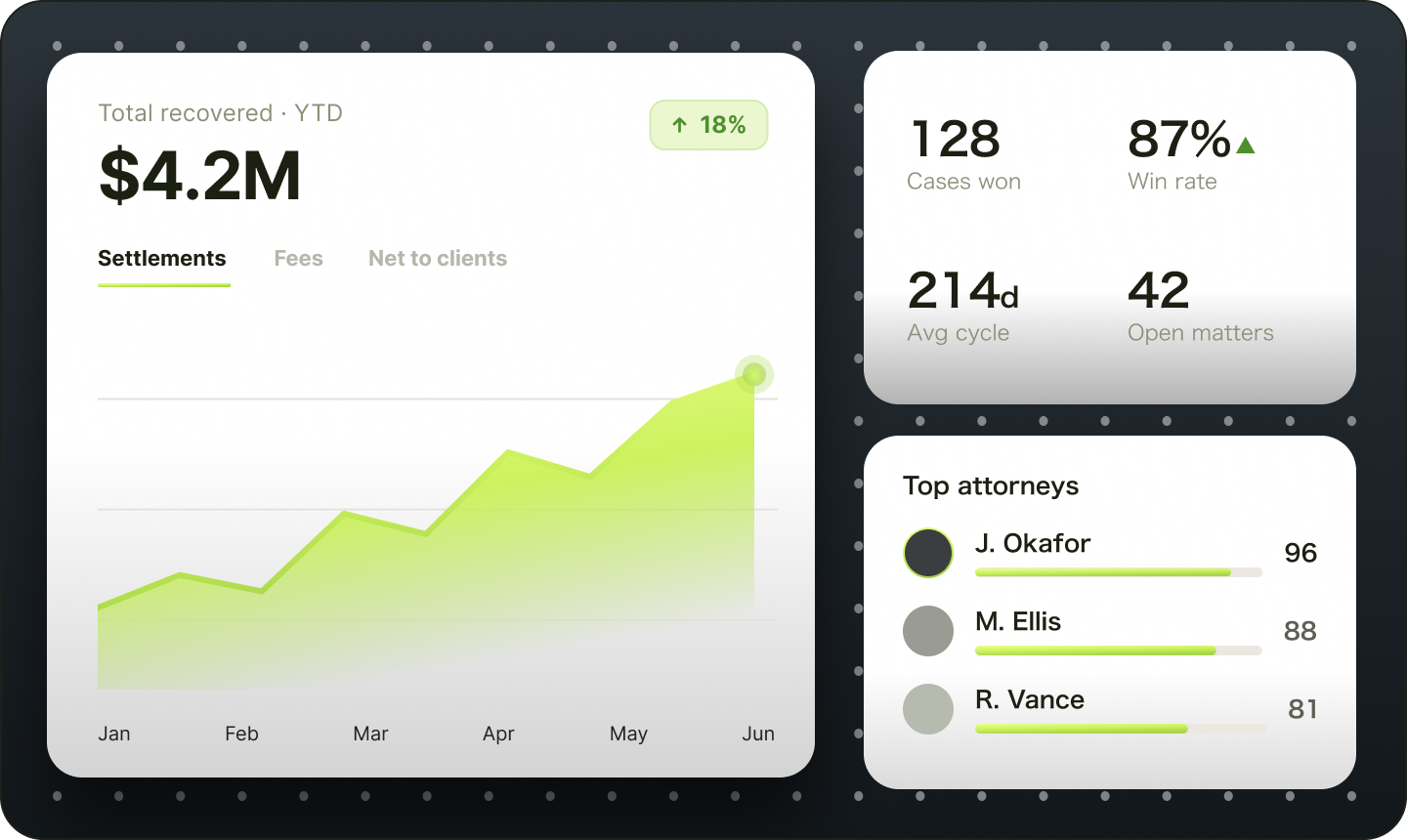
Track performance at the firm level or drill down by individual attorney. Identify top performers and spot bottlenecks.

"Absolutely mind-blowing! This AI software has revolutionized my law practice. It saves me countless hours of document review, and the demand letter summaries it generates are precise and incredibly detailed. It's like having a junior associate who never sleeps!"

Personal injury legal professional representing law firms that use ProPlaintiff AI paralegal software.
Sonja Duckstein
Law Offices of Sonja Duckstein

What’s Inside

Your Firm Report Builder

Choose your data scope (My data or Organization), your case, and the report type.

My Active Caseload

View cases assigned to you, newest first.
Cases assigned
Activities
Follow-ups

Financial Reporting

Built-in financial views replace manual spreadsheet work.
Demand value
Expense tacking
Billable hours

Firm’s Invoiced Settlements

Organization-wide case-generated invoices with settlement, firm income, and fee totals.
Demand pipeline
Outstanding invoices

Personal Operations

Understand your case activity.
Personal
Firm-wide

Firm’s Feature & AI Usage

See what tools your firm uses with period-over-period change.
Adoption coverage
Low-adoption users

Billable hours this month

Time entries logged this month with hours and amounts
Operational insights
Team leaderboard

Frequently Asked Questions

Everything you need to know about Analytics in ProPlaintiff

What metrics can I track in Analytics Reports?

You can track case activity, financial outcomes like settlements and fees, team performance such as documents generated and tasks completed, and AI tool usage, split between a Firm view for organization-wide trends and a Lawyer view for individual performance. Custom reports let you combine any of these metrics into a single view built around what your firm actually wants to see.

Can I compare performance across individual attorneys?

Yes. Switch from the firm-wide summary to attorney-level detail to compare document output, settlement outcomes, and task resolution across your team.

How often does the analytics data update?

In real time. Every dashboard and report reflects your firm's current activity the moment you open it, so you're never looking at stale numbers.

Can I build a custom report instead of relying on the standard dashboards?

Yes. The Report Builder lets you choose a data scope, your own activity or the full organization, pick a subject like Case, Task, Document, Time Entry, or Financial Summary, and select the exact columns you want before previewing the results. This gives you a report tailored to a specific question instead of scrolling through a general dashboard.

Can I save a report to reuse later instead of rebuilding it each time?

Yes. Save any report to your Saved Reports list to reopen and update later, or save its configuration as a reusable preset so you can generate the same report again without rebuilding it from scratch each month.

Can I export reports to share with my partners or accountant?

Yes. Download any report as a PDF, or export the current view as a CSV. Analytics is available to organization owners and admins.

See Your Firm's Performance in Real Time

Open Analytics and build your first custom report.