AI Case Analysis

Know the Outcome, Before Settlement

Get a complete strategic analysis of your case with recommended next steps.

Screenshot of a demand letter creation interface with AI agent progress at 8% generating a demand letter, showing document text and a '15h/week time saved' label.
Arrow

Case strategy built from real evidence.

ProPlaintiff reads it all and tells you exactly where your case stands.

ProPlaintiff case management interface for motor vehicle accident showing integrated client intake, case details, insurance information, bulk document uploads (35 files including media), and one-click demand letter generation with AI paralegal automation
Full Case Analysis
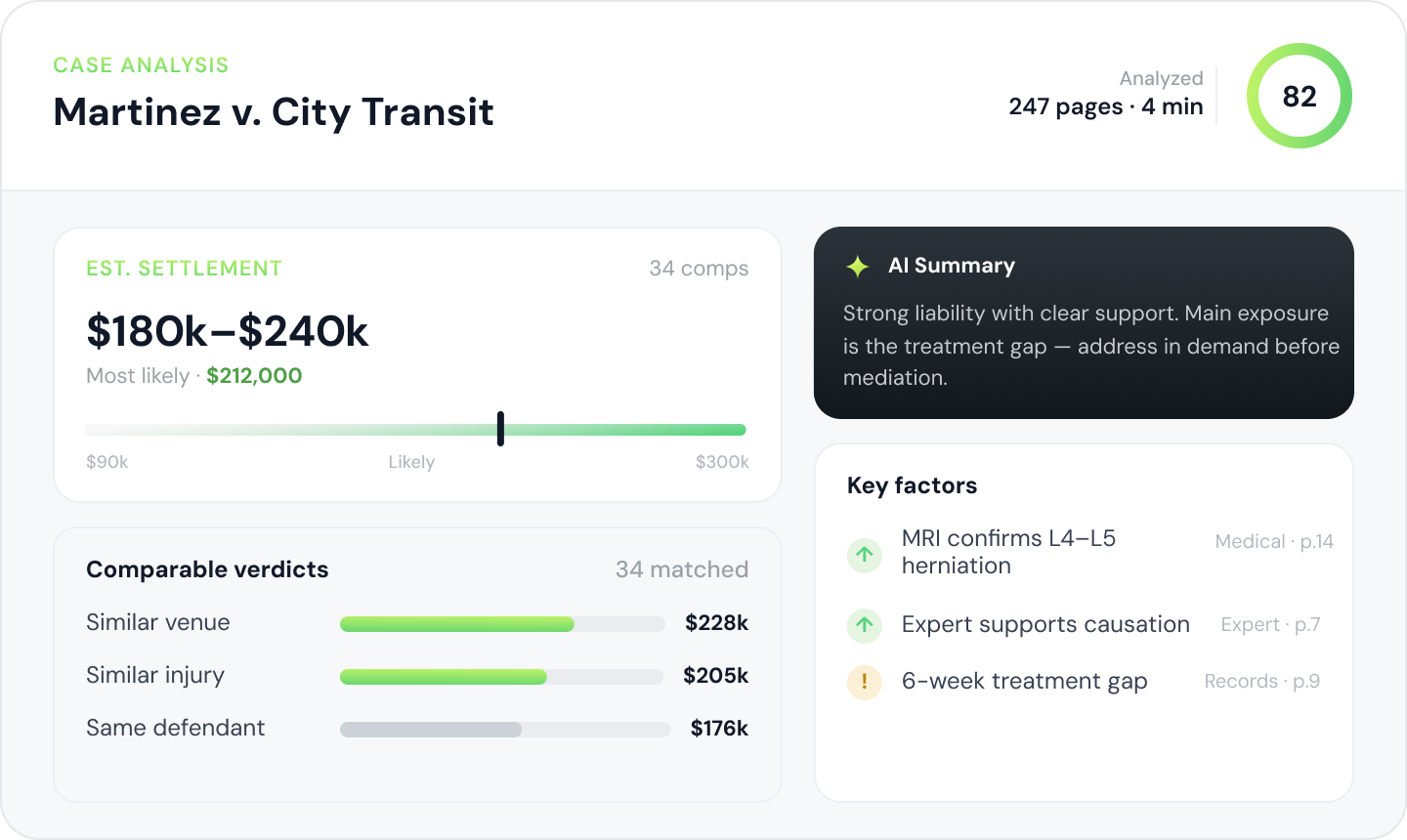
Every uploaded document is analyzed, from medical records to police reports, synthesized into a complete assessment.
ProPlaintiff case dashboard analytics showing personal injury case metrics - settlement demand amount, case file tracking, case duration, AI cost transparency, integrated task management, and real-time case status for motor vehicle accident litigation
Audio & Video Evidence
Video and audio files are transcribed automatically and automatically factored into the case analysis.
ProPlaintiff secure case file organization showing personal injury case folder structure with HIPAA-compliant document management - Medical Treatments, Legal Analysis, Damages, Settlement Docs, and integrated case collaboration for motor vehicle injury litigation
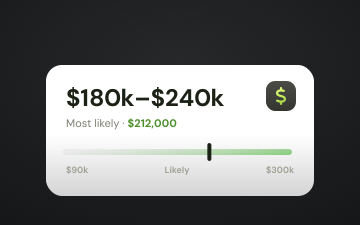
Estimated Settlement
Run analysis at intake and get an estimate of the potential settlement value at a glance.
Jennifer Holt
Senior Partner,
Holt & Reyes Injury Law

"When I jump into a case, I want to know exactly what we’re up against. It used to take me hours to evaluate a case settlement range, now I can get the answers I need in minutes."

Demand Letter Anatomy

Understand Your Case In Minutes

Get the the information you need, faster than ever
1
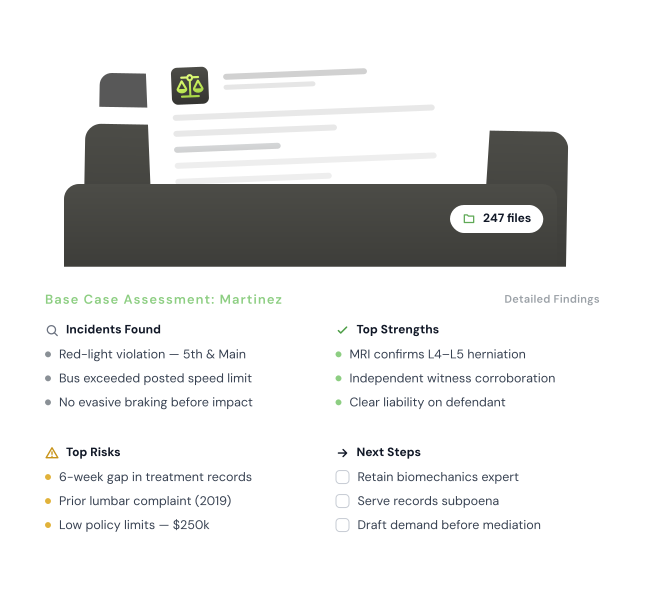
Case Assessment
Get a full strategic picture in one view without having to read a single file.
2
Timeline
Get a chronological history of key case events. Add new events or re-run the analysis for recurring updates.
3
Damages & Expenses
Case overview of monetary claims and expenses identified in the case ready for review in a unified interface.
4
Parties
Relevant parties (i.e. doctors, insurance companies, etc.) mentioned in the files generate a contact card.
5
Patches
Any updates made to the case file are logged in the patch history, revert applied changes or draft new ones.

How It Works

From Case File to Final Draft in Minutes

1
Upload Your Evidence
When all your case files have been added the AI can have a case-wide analysis.
2
Run Analysis
AI indexes every document to start building your timeline, damages, and relevant parties.
3
Review Case Assessment
AI will generate a summary and identify top risks and recommend next steps.

Frequently Asked Questions

Everything you need to know about Case Analysis.

What types of files can Case Analysis process?

Medical records, police reports, expert opinions, billing records, EOBs, correspondence, and depositions, plus video (MP4, MOV, AVI) and audio (MP3, WAV, M4A) files up to 10GB.

How long does Case Analysis take to run?

Most analyses complete in a few minutes. Large case files can take up to 10 minutes depending on the number and size of your documents.

Can I run analysis multiple times on the same case?

Yes. Case Analysis is built to be rerun as your case evolves: after major document uploads, before drafting a demand, and before settlement negotiations. Each run reflects the current state of your case.

How accurate is the settlement range estimate?

The range is calculated from the liability and damages evidence in your case file, so it sharpens as your documentation gets more complete. It informs attorney judgment; you stay in control of every valuation decision.

Get the Answers You Need, Instantly.

Upload a case and get your complete strategic assessment today.