

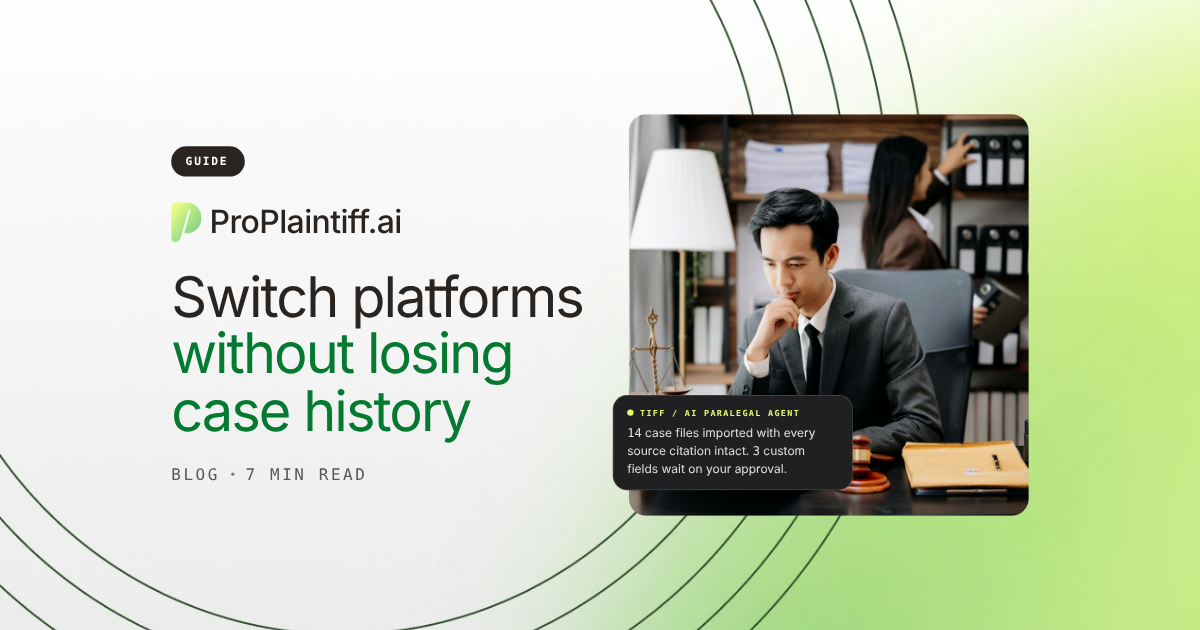
A case-management export can contain every file and still leave the new system less useful than the old one. Notes need their dates and authors, deadlines need their matter and owner, and medical records need to stay connected to the right client, provider, and stage of the case, because the relationships give the raw data its operational meaning.
Law firm data migration is the process of moving that information while preserving the relationships that make it usable. A controlled migration inventories the source system, maps fields and links, tests representative matters, validates high-risk data, performs a final sync, and keeps an archive for anything the destination can't reproduce cleanly. Without those checks, staff may technically have the data but still have to reconstruct the case history manually.
When the destination uses AI, migration quality also determines AI context because the system can only reason over information that moved successfully. Missing treatment records, prior offers, notes, or relationships can weaken summaries, chronologies, demand drafts, and automations, so this guide explains how to plan, test, validate, and cut over without losing the context your team depends on.
Separate information that must remain operational on day one from history that only needs to remain searchable. PI firms should give extra attention to medical, lien, settlement, and financial relationships because those records feed chronologies, demands, settlement calculations, and disbursement workflows.
Data type | Examples | Migration priority |
Matters | Open and closed cases | Critical |
Contacts | Clients, defendants, adjusters, providers, experts | Critical |
Documents | Records, pleadings, demands, correspondence | Critical |
Notes | Case notes and activity history | Critical |
Deadlines | SOLs, litigation dates, internal deadlines | Critical |
Calendar | Hearings, depositions, appointments | Critical |
Tasks | Open and completed assignments | High |
Medical data | Providers, treatment, records, bills | High for PI |
Liens | Lienholder, balance, status, resolution history | High for PI |
Financials | Costs, settlements, fees, disbursement data | High |
Emails | Matter-linked communication | High |
Custom fields | Firm-specific structured information | High |
User assignments | Attorney, paralegal, team ownership | High |
Audit/history | Changes and activity logs | Platform-dependent |
Don't assume every destination preserves each category in the same format. Identify mismatches before the final export so the firm decides how the information should be represented rather than discovering the loss after go-live.
Data transfer moves information. Data migration also restructures it so the destination can use it correctly. "Accident Date" may map cleanly to "Date of Loss," while other source fields may need to be split or normalized first.
Legal data migration is closer to translation than file copying because the same information may be structured differently in the source and destination systems. CASEpeer describes using sample data to map source fields before final transfer, and the same principle applies to any vendor. Approve the mapping first, then verify that the destination behaves the way staff expect before the final cutover.
Migration problems often hide inside relationships and metadata. A document can lose its category, a deadline its owner, and a note its date or author even though the record still appears present.
Common failures include duplicate contacts, orphaned documents, flattened notes, wrong time zones, inactive users still owning tasks, omitted closed matters, and incomplete lien or settlement history. Build the validation plan around consequence: a missing logo is annoying, while a statute of limitations attached to the wrong matter creates immediate risk.
Inventory establishes what exists, mapping decides how the destination will represent it, testing exposes mismatches, and reconciliation confirms that staff can use the migrated information correctly. Skipping one of those steps usually postpones the defect until cutover, when corrections are more disruptive.
Inventory matters, contacts, documents, notes, tasks, deadlines, custom fields, users, integrations, and financial records so the firm has a reconciliation baseline. Include matter information stored outside the CMS, such as email, cloud drives, accounting, intake, medical-record portals, and e-signature tools, then decide whether those records will move or remain separately accessible.
Classify information as active operational data, searchable history, archive material, or disposable material. Active cases need full workflow functionality, while some closed matters may only need secure retrieval. Follow the firm's retention, confidentiality, ethical, and client obligations, and preserve an archive when the firm isn't certain that older information can be discarded.
Map fields and relationships before testing. Straightforward pairs can transfer directly, while a source value such as "Active" may need to become treatment, records, demand preparation, negotiation, or litigation in the new system. Document those business decisions so the test and final imports use the same rules.
A value without context can become meaningless because the number "27,430" might represent medical bills, a settlement offer, a lien, or a policy limit. Moving the number alone therefore doesn't preserve the matter, and the same problem applies when documents lose their case, notes lose their author or date, or deadlines lose their owner and source.
PI firms should test chains such as client → case → provider → treatment → bill → lien → settlement. Litigation teams should test court order → deadline → task → responsible attorney. If those relationships break, the individual records may still exist, but staff may no longer be able to trace treatment, financial obligations, or responsibility through the matter.
Remove obvious duplicate contacts, normalize provider names where appropriate, archive inactive users, and delete test matters the firm can safely discard, but don't rewrite historical notes or documents merely to make the new database look cleaner. Historical inconsistencies may still explain what happened in the matter, so preserve that context and keep a cleanup log that distinguishes intentional changes from migration defects.
Test a representative sample before the final import, including pre-litigation, litigation, settled, closed, document-heavy, lien-heavy, and custom-field matters. Find missing fields, broken relationships, document problems, and ownership errors, then fix the mapping and rerun affected cases before cutover.
Compare the same matter in both systems using a written checklist for client data, stage, staff ownership, documents, notes, tasks, deadlines, providers, bills, liens, settlements, and financial totals. Put every discrepancy in an issue log with an owner, correction, and retest requirement.
Verify by risk because a wrong statute date creates a different level of exposure from a mislabeled archived note. Start with statutes of limitations, filing deadlines, hearings, trials, and discovery dates, then check active ownership, open tasks, treatment status, outstanding records, and near-term financial obligations. Complete lower-risk historical reconciliation before retiring the legacy platform, so the team can focus first on errors that could affect live matters.
Keep the current platform authoritative while the test migration is reviewed, where licensing allows it. Because test data becomes stale as staff keep working, plan a final sync or updated export before go-live and treat the destination as a rehearsal until that point.
Set a clear point after which staff stop updating the old system, or changes made after the final export can disappear from the destination. Communicate the freeze window, define how urgent case activity will be recorded, and confirm how the vendor captures changes made after the test migration.
Don't trust a deadline simply because its date imported. Reconcile SOLs, hearings, discovery deadlines, trials, mediations, expert dates, and filing deadlines against the old system and, where appropriate, the controlling source. Confirm the matter, date, time, owner, and reminders before decommissioning the legacy system.
Storage totals don't prove that case files are usable because a migration can preserve the same number of gigabytes while breaking filenames, links, attachments, or searchability. For representative matters, compare counts, categories, dates, and relationships, then open large PDFs, emails, media, and uncommon file types. If the new platform relies on searchable text, confirm that migrated files remain searchable before staff depend on them for case review.
Case notes should preserve their text, date, author, matter, category, and chronology whenever the platforms support those fields. A note that says "adjuster increased offer to $85,000" loses much of its value if the migration removes when it happened or who recorded it.
Avoid collapsing years of structured notes into one migration field. If the destination can't recreate the original structure, preserve a searchable historical export or note report attached to the matter so staff can still trace the sequence.
Closed cases can support conflict checks, prior-client history, prior-injury research, financial reporting, and retention obligations. Choose deliberately between full migration, a limited archive, read-only legacy access, or a secure exported archive, then document the access method before cutover.
Not necessarily. Very old matters may be better preserved in a secure archive than fully rebuilt inside the new workflow engine, especially when staff rarely need them operationally. However, retention obligations, conflict-check needs, prior-client relevance, and searchability still matter, so decide the archive model before using migration cost as the reason to leave historical matters behind.
Archiving a matter should preserve it rather than erase it from practical use. Give non-migrated matters clear ownership, access controls, and retrieval procedures, then test that staff can find a historical client or document before cancelling the old platform.
ProPlaintiff's data migration currently supports direct import connections for Filevine, Clio, and MyCase, allowing firms to bring supported case information, documents, and client data into the platform. Direct connections can reduce CSV handling when the source exposes the required information through supported migration tools.
Direct import doesn't mean every field, historical event, relationship, or metadata value will map identically. Test representative matters, reconcile critical information, and confirm whether unsupported fields are transformed, archived, or excluded before planning the full cutover.
AI tools use migrated data as context. If treatment records, notes, prior offers, liability evidence, or provider relationships are missing, the resulting summary or chronology may also be incomplete.
Run several migrated matters through the AI tools before broad rollout and compare the output against the source case. That test shows which missing records or broken relationships materially change summaries, chronologies, or drafts and therefore require correction before the system is trusted at scale.
A manual CSV migration gives the firm direct control over exported fields, but staff or consultants must perform cleanup, mapping, document transfer, and reconciliation. That approach can be appropriate when the data model is simple or when the firm needs custom transformations.
A direct platform connection can reduce authentication and manual import steps, but the supported schema still determines which fields and relationships transfer. Ask for a field-level description, run a test matter, and compare the destination against the source before assuming the connection reduces the need for validation.
Vendors use different migration methods because their source access and data structures differ. CASEpeer describes sample mapping and review before final transfer, Filevine provides test-review guidance, Neos describes staged conversion, and Clio offers migration services for supported sources.
Ask each vendor what data is supported, whether test migrations are included, how final changes are captured, what requires manual transformation, and who owns reconciliation. Those answers affect implementation labor, cutover risk, and the total cost of switching.
Don't automatically import obsolete templates, duplicate contacts, abandoned test matters, inactive workflow rules, or outdated permissions. Bringing them forward recreates the same clutter and access problems in the new system.
Treat historical notes, documents, and audit material more cautiously because apparent clutter may still carry legal or operational value. When uncertain, preserve the record outside active workflow rather than deleting it.
Migration creates temporary exports, credentials, and additional data copies, so security controls need to cover the transition as well as the destination. Confirm how exports are encrypted, who can access them, where they are stored, and when temporary copies are deleted.
After cutover, remove old API keys, migration accounts, inactive users, and legacy integrations that are no longer needed. A decommissioning checklist prevents temporary implementation access from becoming permanent exposure.
Law firms remain responsible for protecting client information during a technology change. ABA Model Rule 1.6 addresses confidentiality obligations, and migration creates practical questions about vendor access, temporary storage, and duplicate editable copies.
Document which system is authoritative during the transition and who may access exported data. If two systems remain editable, information can diverge or be updated in the wrong place, so a clear cutover policy reduces both confidentiality and operational risk.
Staff should still be able to operate active cases and retrieve the historical records the firm chose to preserve. That access may come from migrated data, a read-only legacy platform, exported archives, or reports for information the new system can't reproduce.
Test retrieval with real questions because an archive only works if ordinary staff can use it without the migration team. Ask someone to find an old client, a prior settlement note, a closed-case document, and a historical provider record on their own. If those records can't be retrieved reliably, keep the legacy system available until the archive workflow is fixed.
Keep the old system accessible until reconciliation is complete and preserved information can be retrieved elsewhere. Use exit criteria such as reconciled critical data, tested archives, resolved issues, and staff no longer relying on the legacy platform rather than cancelling on an arbitrary date.
Assign one accountable business owner even when the vendor performs most of the technical migration. That person coordinates mapping, cleanup, validation, cutover, and issue resolution so departments don't approve conflicting definitions of the same data.
The owner should work with legal, operations, finance, IT, and daily system users because those teams understand dependencies the export may not reveal. Assign decision rights before mapping begins so unresolved questions don't stall the final sync.
Downtime depends on the platforms, data volume, migration method, and whether final-delta updates are supported, so ask for a written cutover plan before go-live. It should explain when the old system becomes read-only, how final changes are captured, and where staff should record urgent case activity during any controlled freeze.
Imported record counts don't prove that a migration succeeded because totals can match even when relationships or workflow behavior are broken. Compare counts where useful, but also inspect representative matters for chronology, document accessibility, ownership, and linked records. Sign off only when the destination preserves the information and relationships staff need to manage the matter correctly.
Don't treat migration as a vendor-only IT project because the firm still decides what fields mean, which history matters, and which discrepancies create legal or operational risk. The vendor can move data, but only the firm can confirm whether the destination preserves the way attorneys and staff actually use it. For the same reason, don't test only easy cases, cancel the old platform too early, skip deadline validation, overlook attachments, or clean historical information so aggressively that useful context disappears.
Ask migration questions before the software contract is final because unsupported history or manual transformation can materially change the cost of switching.
Ask how the firm can export matters, contacts, notes, documents, tasks, deadlines, financials, and audit history if it leaves the new platform later. A system that only produces disconnected CSV files and document folders may make the next migration expensive, so include portability in procurement while the firm still has leverage to negotiate export access.
A firm is ready when it can explain why it is switching, what data must transfer, who owns the decisions, and how success will be validated. Dissatisfaction alone isn't enough because a new platform can reproduce the same delays, duplicate entry, or ownership gaps if the underlying process is never defined.
Go live when critical deadlines reconcile, representative matters are usable, documents open correctly, historical data is accessible, and staff know which system is authoritative. If those checks fail, fix the defects while the source system remains available rather than cutting over because the project schedule says it is time.
ProPlaintiff's migration tools can reduce manual import steps for supported migrations from Filevine, Clio, and MyCase, but the same validation discipline still applies. If your firm is evaluating an AI-native PI platform, book a ProPlaintiff demo and ask the team to walk one complex matter from import through case analysis so you can see exactly which records and relationships remain usable after migration.
Law firm data migration moves case, client, document, deadline, financial, and historical information from one legal platform to another while preserving enough structure for the destination to use it correctly. A proper migration includes mapping, testing, validation, final synchronization, and archive planning rather than a simple export and import.
You can reduce the risk substantially, but no firm should assume every historical field or relationship will transfer identically. Test representative matters against the source, preserve a secure archive for unsupported information, and keep the old platform available until critical discrepancies are resolved.
Usually, but the structure preserved depends on both platforms. Retain the note text, date, author, matter association, and chronology where possible; if the destination can't recreate them, preserve an organized historical export rather than collapsing years of notes into one block.
Yes, but imported deadlines should be independently validated after cutover. A date can transfer correctly even when the source date was wrong or the owner was lost. Reconcile critical deadlines against the old system and, when appropriate, the controlling legal source before relying on the new calendar.
Not always into the full active workflow, but they should remain accessible according to the firm's retention and operational needs. Closed matters can support conflict checks, prior-client history, financial reporting, and prior-injury research. Choose full migration, archive, or read-only storage deliberately and test retrieval before cancelling the old system.
Cancel it after critical data has been reconciled, the historical archive has been tested, staff no longer rely on the old system for daily case management, and unresolved migration issues have another reliable source. Use those exit criteria instead of an arbitrary date so the firm can still investigate missing or incorrect records.

Agentic case management platform designed to streamline the work of law firms.


Join our Newsletter
Welcome to ProPlaintiff!
Oops! Something went wrong, please try again