.webp)
.webp)
.webp)
.webp)


This month, ProPlaintiff.ai launched updates that go straight at the three biggest drains on a PI firm's time: chasing clients for information, manually moving case data between platforms, and doing repetitive case tasks by hand.
Now offering:
Two-way SMS
Native integrations with Clio and MyCase
A fully customizable Automations builder
Here's everything that went live and what it means for your firm.
.png)
Clients don't sit at desks. They're at physical therapy, picking up their kids, on their way to work (assuming they're cleared). Reaching them by phone is a game of voicemail. Email goes unread for days.
SMS is where they actually respond.
ProPlaintiff.ai now includes a native 2-way SMS tool built directly into the case. Send appointment reminders, case updates, and filing notices from inside the platform. Clients reply by text. Every message is tied to the case, no switching to a separate messaging app, no copy-pasting conversations into a file note.
The feature that makes this genuinely useful for intake and document collection: clients can upload files, photos, and video directly from their phone via a secure link sent by text. No app download required. No portal login. You text the link, they tap it, they upload directly to your case files. Medical records, photos of the accident scene, signed releases, all of it now handled over text.
Getting started requires a one-time 10DLC registration (a carrier compliance step for business SMS). ProPlaintiff handles the setup. You fill out a short form, and once your registration is processed, SMS is live on your account. See the SMS setup guide →
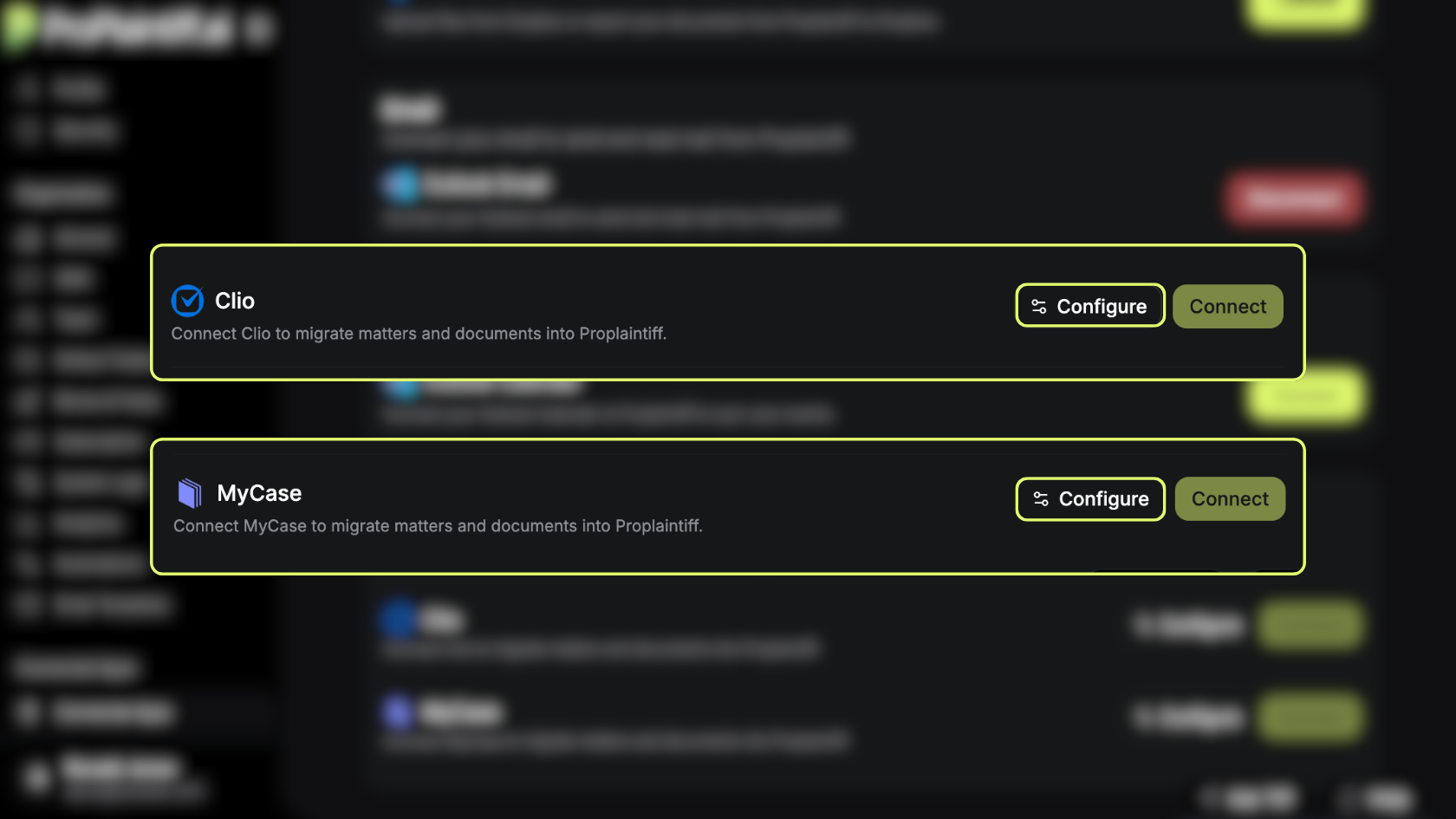
If your firm is already running cases in Clio or MyCase, you no longer have to start from scratch in ProPlaintiff.ai.
The new Connected Apps section in Settings lets you link your existing case management platform and import your cases directly. It's a one-way migration where your data moves from Clio or MyCase into ProPlaintiff.ai, so you hit the ground running instead of rebuilding from scratch.
Both integrations use OAuth, which means the connection is secure and authenticated at the account level. Once connected, your cases come over clean.
To connect either platform, go to Settings → Connected Apps and click Connect next to your service. Full setup guides are available here:
ProPlaintiff Automations are less of a workflow tool and more like a junior associate that never sleeps, never misses a trigger, and does exactly what you tell it to do.
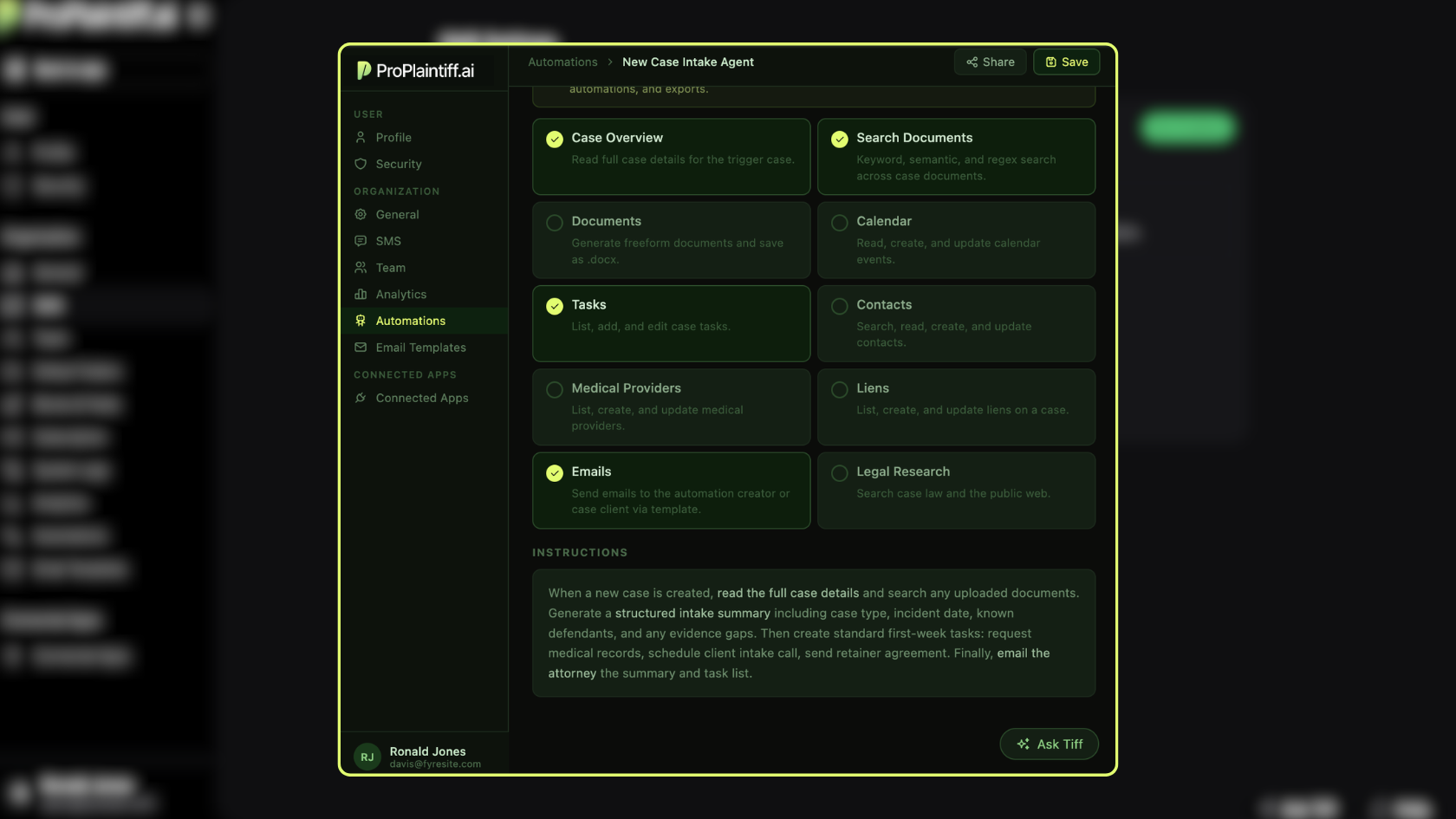
ProPlaintiff.ai's new Automations builder lets you create AI agents dedicated to individual cases. Set a trigger (i.e., when a case is created, when files are uploaded, or on a recurring schedule). Give the agent a set of tools. Write instructions in plain language. The agent handles the rest.
The available tools cover the full case workflow:
A practical example:
"set an automation to fire when a new case is created, read the case details and any uploaded documents, generate a structured intake summary, create my standard first-week task list, and email it to me"
Done all before you've opened the file yourself.
Automations run on a per-case basis. You turn them on for each case individually under Case Forward → Automations → Add Automation.
If you want an automation active on every new case by default, set its visibility to Team and toggle on Apply to New Cases.
Tip:
The fastest way to build one: go to the Automations dashboard, describe what you want in the Tiff chat box, and let Tiff draft the automation for you. Learn more about Automations →
Filevine integration is on the way. Like Clio and MyCase, it will follow the same Connected Apps process — link your account, import your cases, and keep building from inside ProPlaintiff.ai. We'll update the Connected Apps guide when it goes live.
Clients who get texts respond faster. Cases that import cleanly start faster. Agents that run automatically move faster.
That's the through-line across everything that launched this month — less friction between you and the work that actually moves cases forward.
If you're not on ProPlaintiff.ai yet, book a demo → and we'll walk you through what the platform looks like on your caseload.






.svg)