.webp)
.webp)
.webp)
.webp)

Law firm automation uses software to complete repetitive tasks, move matters through defined workflows, generate documents, send communications, and alert staff when human action is needed. For plaintiff firms, the best opportunities aren't limited to scheduling and billing; they span intake, case opening, medical records, treatment tracking, demand preparation, litigation, settlement, and client communication. The firms that get automation right treat it as connected case movement rather than a collection of isolated shortcuts.
The mistake most firms make is buying tools before mapping workflows. Someone reads about AI demand drafting, buys the software, and expects the practice to run faster. Six months later the demands are still stuck because records arrive as unlabeled PDFs, the chronology depends on a spreadsheet nobody maintains, and the intake team is still typing the same client information into three systems. The software wasn't the bottleneck. The workflow was, and automating a broken workflow just moves the same problem faster.
This playbook walks through what to automate first, which workflows need deterministic rules and which need AI, how to connect tools without creating duplicate systems, how to calculate ROI honestly, and how plaintiff firms are deploying automation across the case lifecycle. It's operational rather than futuristic, because process engineering with legal safeguards is what actually moves cases, not a shopping spree for software with impressive demos.
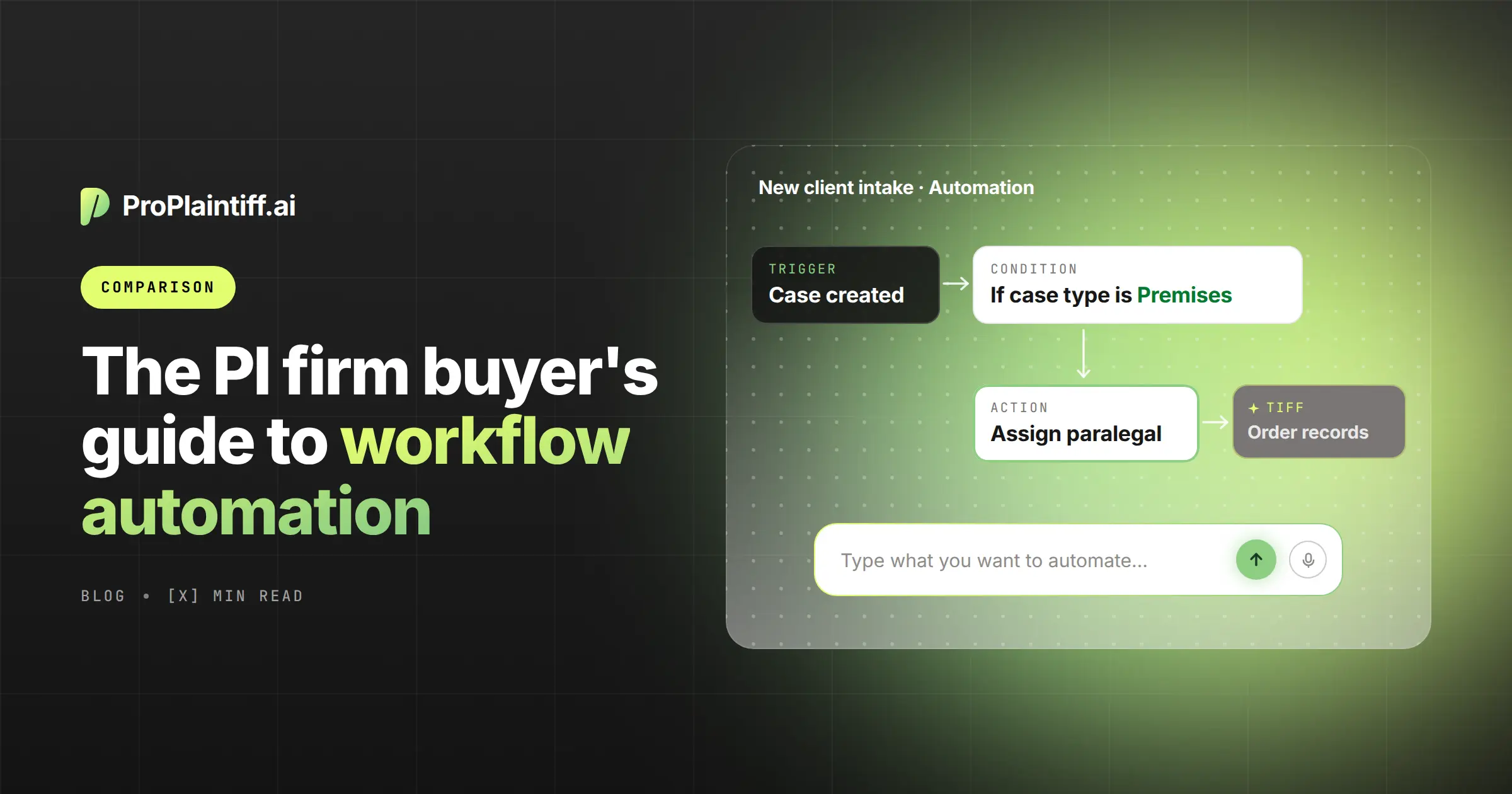
Law firm automation is the use of software to execute repetitive tasks or move work through a defined process based on triggers, conditions, templates, and approved actions. A new lead triggers a confirmation text and consultation task. A signed agreement creates a matter and onboarding checklist. A new medical-record production creates a review task. A settlement entry launches lien, release, and disbursement tasks. Each of those is automation, and none of them requires AI to work.
Traditional automation uses rules, templates, conditional logic, scheduled actions, field changes, and API integrations. AI automation adds the ability to interpret emails, medical records, reports, transcripts, photographs, free-text intake narratives, and large case files. The two aren't substitutes for each other; the strongest workflows combine deterministic rules with AI interpretation, and firms that treat them as one category usually end up with brittle systems that break at the first exception.
The categories overlap in vendor marketing, but the underlying technologies behave very differently in production. Understanding which technology fits which task is what separates firms with working automation from firms with expensive dashboards.
|
Technology |
How It Works |
Best Use |
|
Rules-based automation |
Executes fixed actions when predefined conditions are met |
Tasks, reminders, routing, deadlines |
|
Document automation |
Populates approved templates from structured data |
Letters, forms, agreements, pleadings |
|
AI-assisted automation |
Interprets unstructured content and produces summaries or drafts |
Records, evidence, correspondence |
|
AI agent |
Executes several connected steps using approved tools and escalation rules |
Multi-stage case workflows |
|
Human judgment |
Resolves ambiguity and makes legal or strategic decisions |
Liability, valuation, settlement, filings |
The rule of thumb worth remembering is that deterministic automation is easier to test and predict, while AI is more flexible but requires ongoing monitoring. Firms that lean too heavily on either side tend to run into the same problem from opposite directions: brittle rules that break on edge cases, or AI outputs that nobody trusts enough to act on.
Plaintiff firms operate on contingency fees, so the economics depend heavily on lead conversion, case selection, staff capacity, case progression, time to demand, time to resolution, and settlement value. An hour saved is valuable, but an automation that moves ten dormant cases toward demand is often worth more, because the recovered capacity translates directly into contingency revenue rather than avoided payroll.
Plaintiff workflows are also unusually document-heavy and dependent on external parties. Healthcare providers, insurers, employers, experts, defense counsel, lienholders, and courts all sit outside the firm's control, so automation has to focus on both internal execution and external dependency tracking. Firms that automate only the internal side end up with beautifully organized queues waiting for evidence that never arrives on time.
The single most valuable exercise before buying any software is mapping the case lifecycle end to end. The table below shows the stages worth reviewing and the automation opportunities that most consistently deliver value across plaintiff firms.
|
Case Stage |
Core Objective |
Common Automation Opportunity |
|
Lead intake |
Capture and qualify opportunity |
Forms, calls, scheduling, follow-up |
|
Case evaluation |
Prepare attorney decision |
Summary, conflict data, missing questions |
|
Retention |
Sign and onboard client |
E-signature, welcome sequence, tasks |
|
Case opening |
Create reliable matter record |
Fields, folders, checklists, assignments |
|
Preservation |
Protect evidence |
Hold-letter drafts, tasks, reminders |
|
Insurance |
Identify coverage and open claims |
Representation letters, status tracking |
|
Medical records |
Obtain complete records and bills |
Requests, follow-up, intake, gap detection |
|
Treatment monitoring |
Understand care progression |
Client check-ins, provider updates |
|
Liability analysis |
Organize facts and evidence |
Evidence matrix, summaries, timelines |
|
Damages |
Calculate and document loss |
Bill extraction, wage-loss tracking |
|
Demand |
Prepare settlement package |
Readiness checks, chronology, drafting |
|
Negotiation |
Track offers and authority |
Offer history, reminders, scenarios |
|
Litigation |
Manage discovery and deadlines |
Task plans, production review |
|
Settlement |
Complete releases and liens |
Task sequences, approvals, calculations |
|
Closing |
Disburse and archive |
Final checks, client communication |
Mapping every stage before automating any of them prevents the common trap of automating one bottleneck without noticing that the fix creates another one downstream. If intake starts capturing three times more leads but case opening still takes a paralegal an hour per matter, the firm just moved the constraint rather than solving it.
Explore ProPlaintiff'sAI paralegal →
The tasks that most consistently produce value across plaintiff firms cluster in the front office and the document-heavy middle of the case lifecycle. The table below groups them by function.
|
Function |
Automation Examples |
|
Lead intake and qualification |
Website and phone intake, immediate acknowledgement, consultation scheduling, reminder sequences, missing-field follow-up, lead-source tracking, attorney review packet |
|
Client onboarding |
Engagement agreement delivery, e-signature, welcome email, portal invitation, identity confirmation, initial document request |
|
Matter creation |
Matter record, folder structure, responsible attorney assignment, core tasks, insurance and provider fields |
|
Standard documents |
Letters of representation, preservation letters, medical-record requests, insurance-status letters, lien letters, discovery shells, demand packages, closing letters |
|
Medical-record requests |
Provider-list creation, request-letter generation, authorization checks, submission tasks, follow-up dates, receipt tracking, supplemental requests |
|
Incoming document processing |
Matter matching, document classification, provider identification, naming convention, extraction of important dates, case-owner notification |
|
Medical-record analysis |
Provider classification, treatment chronology, diagnosis extraction, imaging summaries, treatment-gap detection, bill extraction, missing-record identification |
|
Client communication |
Received-document confirmation, appointment reminders, monthly case check-ins, treatment-status requests, missing-document reminders, stage-change notifications |
|
Case-status monitoring |
Alerts for no activity, missing records, untouched leads, expiring authorizations, demand prepared but not reviewed, unresolved liens |
|
Demand preparation |
Record and bill completeness checks, chronology updates, damages reconciliation, exhibit list, treatment narrative, attorney review routing |
|
Discovery management |
Task plans, response shells, client questionnaires, document-request mapping, production indexing, missing-response detection |
|
Settlement and disbursement |
Offer history, client approval documentation, release review, lien-resolution tasks, settlement statement drafting, matter-closing checklist |
The value here isn't the length of the list; it's that the tasks connect. A firm that automates only intake and only demand drafting still requires paralegals to move information between the two systems by hand, so the compounding value comes from connecting the stages rather than automating them individually.
Automation should prepare information for legal decisions, not make them. The categories below need to remain under explicit attorney control regardless of how sophisticated the underlying technology becomes.
Case acceptance, conflicts decisions, limitation calculations, legal advice, liability theory, privilege decisions, final legal research, discovery objections, expert strategy, case valuation, demand amount, settlement authority, court filings, representations to tribunals, client settlement decisions, and trust-account transfers all require judgment that AI can't reliably supply and that firms can't safely delegate. Automation can pull the underlying evidence, calculate the underlying numbers, and prepare the underlying drafts, but the sign-off has to sit with a lawyer.
Not every firm needs to reach the top of the ladder. A well-built Level 2 workflow that the team actually uses is worth more than an ornate Level 5 experiment nobody trusts, so the goal is choosing the level that fits the firm's operational maturity rather than chasing the newest capability.
|
Level |
Description |
Typical Firm Behavior |
|
0: Manual |
Work depends on email, memory, and spreadsheets |
Staff chase every next step |
|
1: Task automation |
Reminders and standard templates |
Individual efficiencies |
|
2: Workflow automation |
Tasks launch automatically by case stage |
Consistent processes |
|
3: Connected automation |
CRM, case management, documents, and communication exchange data |
Fewer handoffs |
|
4: AI-assisted operations |
AI interprets records and drafts work product |
Faster document-heavy work |
|
5: Agentic workflows |
Systems monitor matters and execute bounded multi-step processes |
Exception-driven staff work |
Most plaintiff firms benefit most from getting solidly to Level 3 before experimenting with Level 4 or 5. The foundational work of standardizing data, connecting systems, and defining a system of record is what makes AI and agentic layers actually work, and skipping those layers usually produces AI outputs that hallucinate because the underlying data is inconsistent.
The sequence that consistently produces working automation isn't glamorous, but it's what separates firms with genuine operational improvement from firms with expensive shelf-ware. The twelve steps below apply regardless of firm size or software choice.
The step most firms skip is step 3. Removing unnecessary steps before automating what remains is the single highest-value operational move available, because automating a duplicate approval or a spreadsheet that duplicates the case-management system just preserves waste in software form.
A workflow that moves from signed client to first records request shows how the pieces connect in practice. Each stage triggers the next, and human checkpoints sit where judgment is required rather than at every step.
|
Trigger |
Automated Action |
Human Checkpoint |
|
Agreement signed |
Create matter |
Confirm case details |
|
Matter created |
Assign team and stage |
Review ownership |
|
Case type selected |
Launch PI opening checklist |
Confirm applicable tasks |
|
Client data available |
Draft representation letter |
Attorney approves |
|
Provider entered |
Draft records request |
Staff verifies scope |
|
Authorization signed |
Queue submission |
Staff confirms destination |
|
Request sent |
Create follow-up schedule |
No approval needed |
|
Records arrive |
Match, classify, and save |
Review low-confidence matches |
|
Production incomplete |
Draft deficiency request |
Staff approves |
|
Records complete |
Launch chronology workflow |
Attorney reviews final output |
The blueprint isn't a template to copy verbatim; it's a demonstration of what "connected" actually looks like when workflow stages hand off to each other automatically. A firm running this pattern doesn't need someone tracking whether records arrived, because the arrival itself launches the next task.
There isn't a universal ranking here, because the right tool depends on the job. The table below matches software categories to the workflows they're built for.
|
Category |
Representative Platforms |
Best Suited For |
|
Legal CRM and intake |
Lawmatics, Clio Grow |
Lead capture, nurturing, scheduling, onboarding |
|
Practice management |
Clio, MyCase, PracticePanther |
Matters, tasks, calendars, billing |
|
Plaintiff case management |
Filevine, Litify, CASEpeer, CloudLex |
High-volume plaintiff workflows |
|
Document automation |
Clio Draft, Gavel, HotDocs |
Templates, forms, repeatable documents |
|
Plaintiff AI |
ProPlaintiff, Supio, Eve, EvenUp |
Records, chronologies, demands, case preparation |
|
Legal research AI |
CoCounsel, Lexis+ AI, Harvey, Paxton |
Research, drafting, authority analysis |
|
E-signature |
DocuSign, Adobe Acrobat Sign |
Agreements, authorizations, releases |
|
Integration and low-code |
Zapier, Make, Power Automate |
Moving data between systems |
|
Communication |
Case Status, Hona |
Routine client updates |
Verify current features, integrations, pricing, security claims, and practice-area focus before committing to any platform. Vendor labels like "agentic" or "AI-native" are marketing terms rather than product categories, so evaluation should focus on the actions the software actually takes rather than the language on the sales page.
The choice between an all-in-one platform and a connected stack of specialists is one of the most consequential architecture decisions a firm makes, because switching later is expensive and disruptive.
|
All-in-One Platform |
Connected Specialist Stack |
|
Fewer integrations to maintain |
Best tool for each workflow |
|
Centralized permissions and reporting |
Greater functional depth |
|
Lower data-fragmentation risk |
More flexible replacement |
|
May be less specialized in individual areas |
More integration maintenance |
|
Greater vendor dependency |
More vendors and contracts |
Choose based on firm size, internal technical capacity, workflow complexity, data-security requirements, customization needs, existing contracts, reporting requirements, and cost of integration maintenance. Smaller firms usually do better with a unified platform because they don't have the technical capacity to maintain integrations, while larger firms often need specialists in intake, records, and case preparation to handle the volume specific tools handle better than generalist platforms.
Explore ProPlaintiff'sAI medical chronologies →
Public evidence of automation working in real plaintiff firms is useful, but most of it comes from vendor customer stories, so it deserves cautious framing. Thomson Reuters has reported on Parris Law Firm extending its existing case-management system through improved document management, document creation, and workflow automation, which illustrates why firms often add a workflow layer rather than replacing their core system. Litify publicly presents Richmond Vona as a growing plaintiff firm using its platform, though the article should separate vendor-attributed growth from independently established causation. ProPlaintiff's public testimonials describe faster case-file creation, medical chronology preparation, document review, and demand drafting, which supports real-world use but shouldn't be treated as controlled ROI research.
At the industry scale, Ashurst reportedly used generative AI to process approximately 100,000 documents in 48 hours during a regulatory review. That isn't a plaintiff-firm example, but it illustrates the scale difference between manual review and well-governed automated document processing when the volume genuinely justifies it.
For every case study a firm evaluates, the honest question is whether the reported result reflects the software, the surrounding process, or the firm's specific circumstances. Vendor case studies rarely control for those variables, so they're best treated as evidence that a workflow exists rather than proof that it will produce the same outcome elsewhere.
The honest ROI conversation includes recovered capacity, reduced outsourcing, additional contribution from increased caseload, improved lead conversion, and the value of faster case progression, minus implementation and operating costs. The formula that fits on a single line is:
Annual benefit = recovered staff capacity + reduced outsourcing + additional contribution from increased caseload + improved lead conversion + value of faster case progression − implementation and operating costs
ROI percentage = (annual benefit − annual cost) ÷ annual cost × 100
The categories that get skipped in vendor pitches include implementation, data migration, integration, template setup, staff training, internal administration, security review, ongoing maintenance, workflow redesign, and temporary productivity loss during rollout. Recovered capacity also isn't the same as cash savings; the firm only captures the value if it redeploys the time productively rather than letting it disappear into meetings.
The table below uses fictional figures to show how the math works for a demand-preparation workflow.
|
Input |
Amount |
|
Demands per month |
25 |
|
Manual staff time per demand |
6 hours |
|
Automated workflow time |
2 hours |
|
Hours saved per demand |
4 |
|
Monthly hours recovered |
100 |
|
Loaded staff cost per hour |
$40 |
|
Monthly capacity value |
$4,000 |
|
Annual capacity value |
$48,000 |
|
Annual software and implementation cost |
$18,000 |
|
Estimated first-year net benefit |
$30,000 |
Estimated ROI works out to 167 percent in this scenario, but the model should account for output-review time, adoption ramp, and exception handling before anyone circulates that number internally. A 167 percent projection that ignores the paralegal hours spent verifying AI outputs isn't ROI; it's a marketing slide waiting to disappoint the managing partner in month six.
The metrics worth tracking after implementation aren't logins or dashboard views. They're the operational numbers that show whether cases actually move faster and whether work quality holds up.
|
Metric |
Why It Matters |
|
Lead response time |
Affects consultation booking and conversion |
|
Signed-client rate |
Measures lead quality and follow-up |
|
Records-request turnaround |
Identifies external and internal delay |
|
Chronology preparation time |
Tracks document-review effort |
|
Demand cycle time |
Measures movement toward monetization |
|
Cases awaiting demand |
Reveals backlog |
|
Staff hours per matter |
Measures capacity |
|
Rework rate |
Tests output quality |
|
Dormant-matter count |
Shows workflow failures |
|
Settlement-to-disbursement time |
Identifies closing friction |
|
Exception rate |
Shows where automation breaks |
Measuring logins instead of outcomes is one of the most common failure patterns in automation projects, because frequent use of a tool doesn't prove that cases move faster or that work improves. The metrics that matter are the ones tied to case movement and revenue realization, not the ones the vendor dashboard defaults to.
The failure patterns are consistent across firm sizes and software choices. Automating a broken process preserves every unnecessary approval and duplicate entry. Buying tools before mapping workflows ends up designing operations around software menus. No clear system of record means staff can't tell which status, deadline, or document is authoritative. Too many disconnected tools create additional handoffs and reconciliation work rather than reducing them. No workflow owner means nobody's responsible for maintenance, exceptions, or improvement, so the automation drifts out of sync with the firm's actual work within months.
Beyond those structural failures, ignoring staff behavior lets the formal workflow and the real workflow diverge, and automating high-risk decisions too early delegates deadlines, legal conclusions, or external communications before controls are established. Treating implementation as a one-time project ignores the reality that workflows require ongoing updates as staff, law, forms, integrations, and vendor products change. Every one of these failures is preventable, but only if the firm treats automation as an ongoing operational discipline rather than a software purchase.
Every automated workflow should have a named owner, a defined purpose, an approved trigger, allowed inputs, allowed actions, prohibited actions, human checkpoints, an exception path, an audit log, version history, a rollback method, a security classification, a review frequency, and a retirement process. Skipping any of these creates the "who owns this?" problem that quietly undoes automation projects six to twelve months after launch.
AI-specific controls add matter isolation, source citations, confidence thresholds, no training on firm data without a written agreement, role-based access, prompt-injection protection, output review, model-change testing, incident response procedures, and the ability to disable the workflow. The last one matters more than most firms realize; if the automation produces bad output and there's no clear off switch, the firm ends up with a system that keeps running even after the team stops trusting it.
The pattern below fits most plaintiff firms attempting their first serious automation project. It works because it forces measurement before scale, and because 90 days is short enough to preserve organizational patience.
Days 1 to 30 - Audit and Select: Inventory repetitive workflows, interview staff performing the work, choose one high-volume bottleneck, capture baseline time and error data, define the system of record, select a workflow owner, and document security and approval requirements.
Days 31 to 60 - Build and Test: Standardize fields and templates, remove unnecessary steps, build a minimum viable automation, test with historical matters, document exceptions, train pilot users, and create rollback procedures.
Days 61 to 90 - Pilot and Measure: Launch with one team or matter type, review exceptions weekly, measure cycle time, rework, and adoption against the baseline, fix bottlenecks, and decide whether to expand, redesign, or retire.
Firm-wide rollout before the pilot produces stable results is where most projects turn into cautionary tales. The 90-day pilot exists to prove the workflow works, not to build organizational excitement about a system nobody has stress-tested.
ProPlaintiff functions as the specialized case-intelligence and work-product layer inside a broader automation stack, not necessarily the replacement for CRM, accounting, intake, or billing systems the firm already uses. The recommended architecture keeps the case-management platform as the system of record and adds ProPlaintiff for the document-heavy plaintiff work that traditional platforms leave to attorneys and paralegals.
Where ProPlaintiff earns its keep is in case-file summarization, medical chronology preparation, medical-record analysis, source-linked case questions, demand-letter drafting, template-based legal document generation, and evidence and case-document review. Those are the workflows that consume disproportionate paralegal hours across the case lifecycle, and they're where connecting automation stages produces the largest capacity gains. For plaintiff firms trying to move more matters through pre-lit without adding headcount, that consolidation is where the operational leverage actually shows up.
Explore ProPlaintiff'sAI paralegal workflows →
Law firm automation uses software to complete repetitive tasks or move work through a defined process based on triggers, rules, templates, AI analysis, and human approvals. It covers everything from intake follow-up to demand drafting, and it works best when workflow stages connect to each other rather than operating in isolation.
Common tasks include intake follow-up, scheduling, onboarding, task creation, document generation, records tracking, client updates, billing reminders, case-status monitoring, and reporting. Plaintiff firms can also automate medical chronologies, damages summaries, and demand preparation, which are usually the highest-value opportunities because they consume the most paralegal time per matter.
Choose one high-volume bottleneck, map the existing process, remove unnecessary steps, establish a system of record, build a small workflow, test it with historical matters, and measure the result before expanding. Starting narrow is what makes the difference between automation that scales and automation that stalls.
The best software depends on the workflow. CRM platforms are strongest for intake, practice-management platforms for matter operations, document tools for template generation, and plaintiff-specific AI for medical records, chronologies, demands, and case preparation. Vendor rankings that ignore workflow fit aren't useful for buying decisions.
AI can classify documents, extract information, create summaries, compare records, and draft work product. Legal analysis, deadlines, settlement decisions, filings, and substantive communications still require appropriate human review, because the consequences of an AI error in those categories are more expensive than the time saved.
Calculate the annual value of recovered staff time, reduced outsourcing, improved conversion, greater case capacity, and faster case progression, then subtract software, implementation, training, maintenance, and review costs. Recovered capacity is only worth its ROI if the firm actually redeploys the time productively.
No, automation typically changes how staff spend their time rather than eliminating the need for legal professionals. Teams are still needed for clients, exceptions, verification, judgment, negotiation, and strategy, which are the categories where human judgment produces meaningfully better outcomes than software.
Workflow automation usually follows predefined rules, while AI agents can interpret information and complete several connected steps using approved tools. Agents still need permissions, escalation rules, and human oversight, so the difference is less about intelligence and more about scope of action.
A narrow workflow can be piloted in about 90 days, while a firm-wide transformation may require substantial process redesign, migration, integration, training, and governance. Firms should begin with a limited pilot rather than attempt everything at once, because implementation risk scales faster than the benefits do.
Examples include automatically creating a matter after an agreement is signed, sending medical-record follow-ups, generating standard letters, updating tasks when records arrive, alerting staff to dormant cases, and routing demand packages for attorney approval. The pattern in every example is that a workflow event triggers the next stage without requiring someone to notice and act manually.

Agentic case management platform designed to streamline the work of law firms.


Join our Newsletter
Welcome to ProPlaintiff!
Oops! Something went wrong, please try again


.svg)